Purpose:
Learn how to create and configure new categories for Defect, Inspection, Delay, Catch Up, or Drawing modules in LivSYT.
Step-by-Step Instructions:
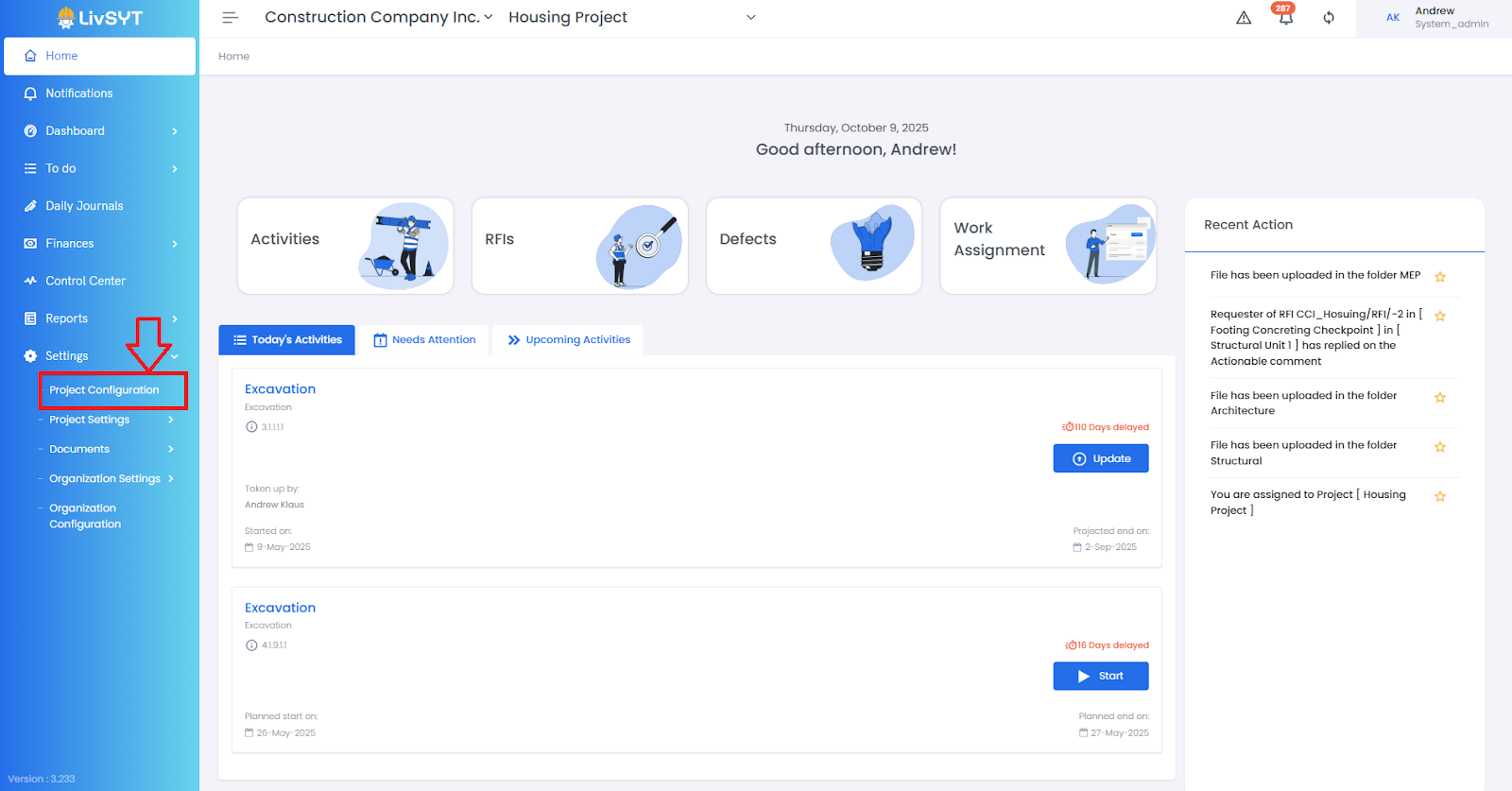
1. Open Project Configuration
- Go to Settings from the Home Page.
- Click on Project Configuration.
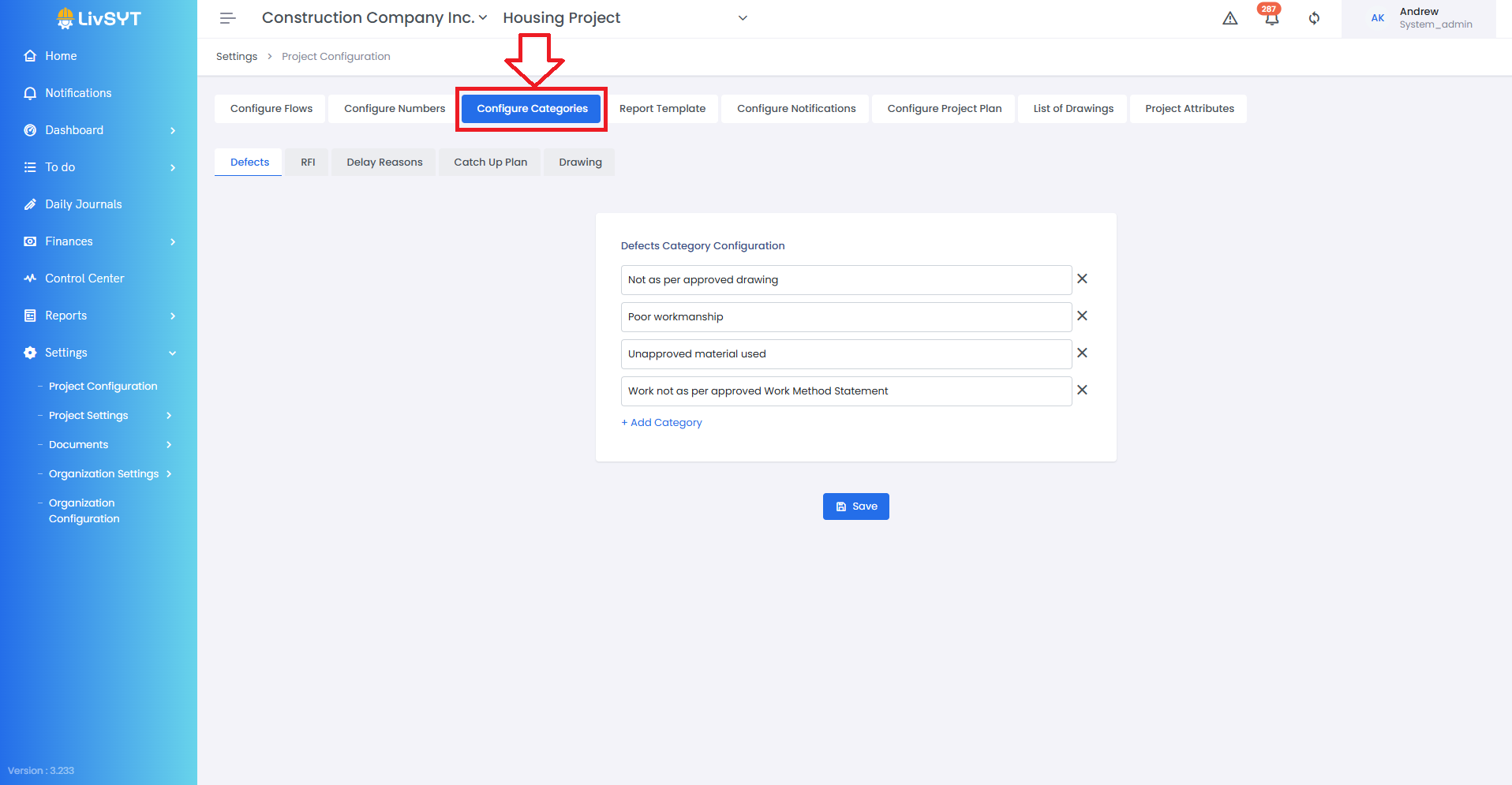
2. Open Configure Categories Section
- Navigate to the Configure Categories section.
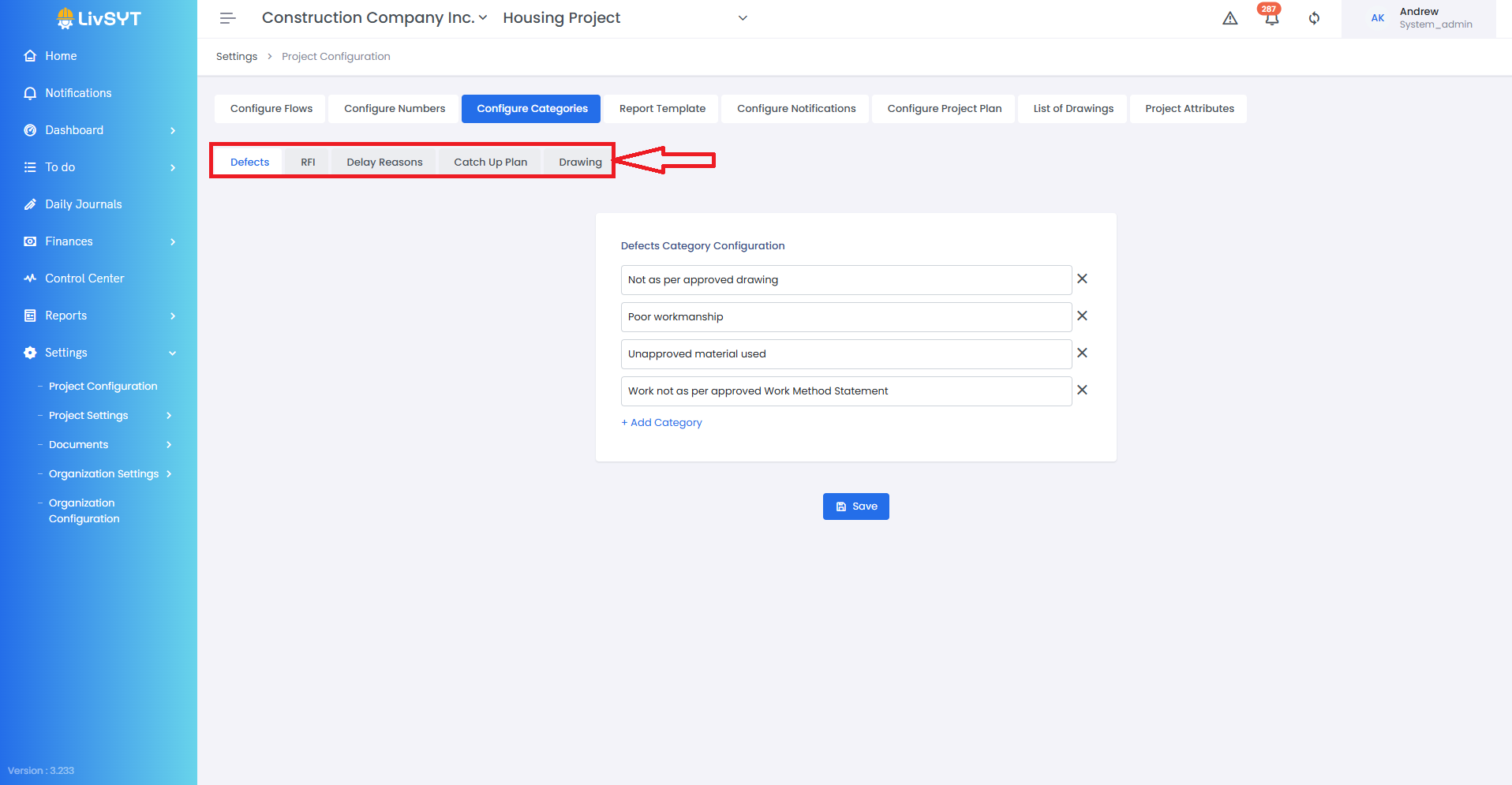
3. Select the Section
- Under the Configure Categories section, select the relevant section - Defect, Inspection, Delay, Catch Up, or Drawing.
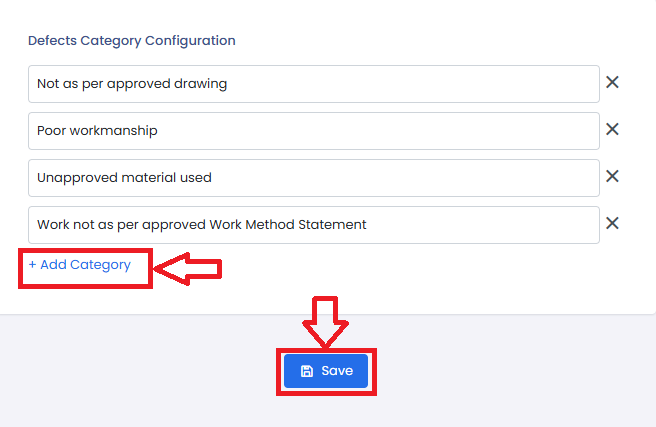
4. Creation of New Category
- Click on Add Category.
- Click on Save to apply and store the new category.
Tips & Best Practices:
- Define clear and meaningful category names to ensure easy identification during reporting.
- Review existing categories before adding a new one to avoid duplication.
- Keep category naming consistent across modules for better organization and usability.
- For any issues, contact LivSYT Support.
Related Resources:
How to add roles in Inspection/Delay/Bill/CO/BOQ Flow?
How to change Inspection/Delay/Bill/CO/BOQ Configuration Numbers or Prefix?
Was this article helpful?
That’s Great!
Thank you for your feedback
Sorry! We couldn't be helpful
Thank you for your feedback
Feedback sent
We appreciate your effort and will try to fix the article