Purpose:
To explain how users can create a new Role in livSYT.
Step-by-Step Instructions:
Note:
Only the System Admin or Project Admin can create a new role by default.
If you cannot see the option, contact the concerned admin.
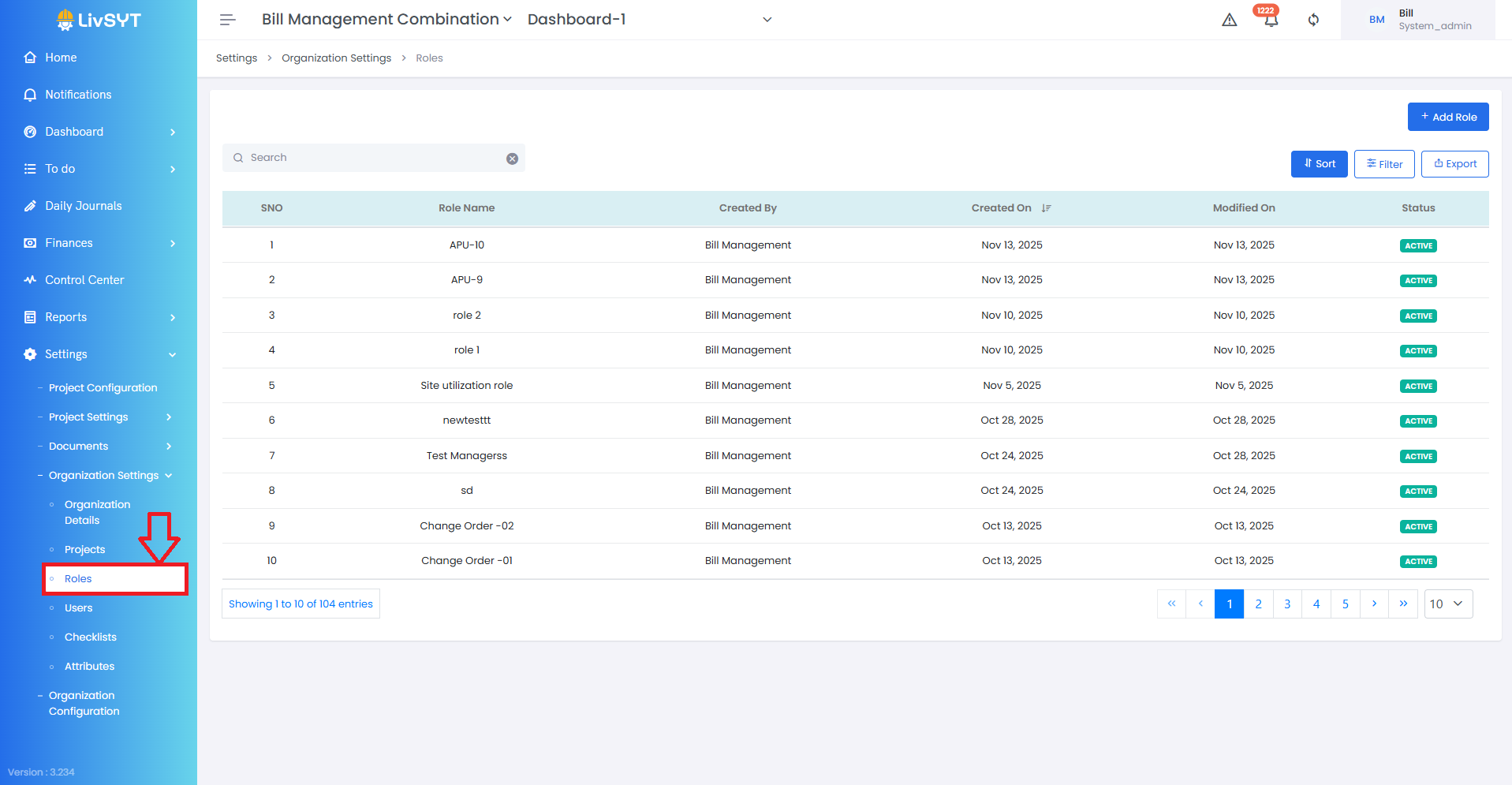
1) Open Roles Settings
- Go to Settings → Organization Settings → Roles.
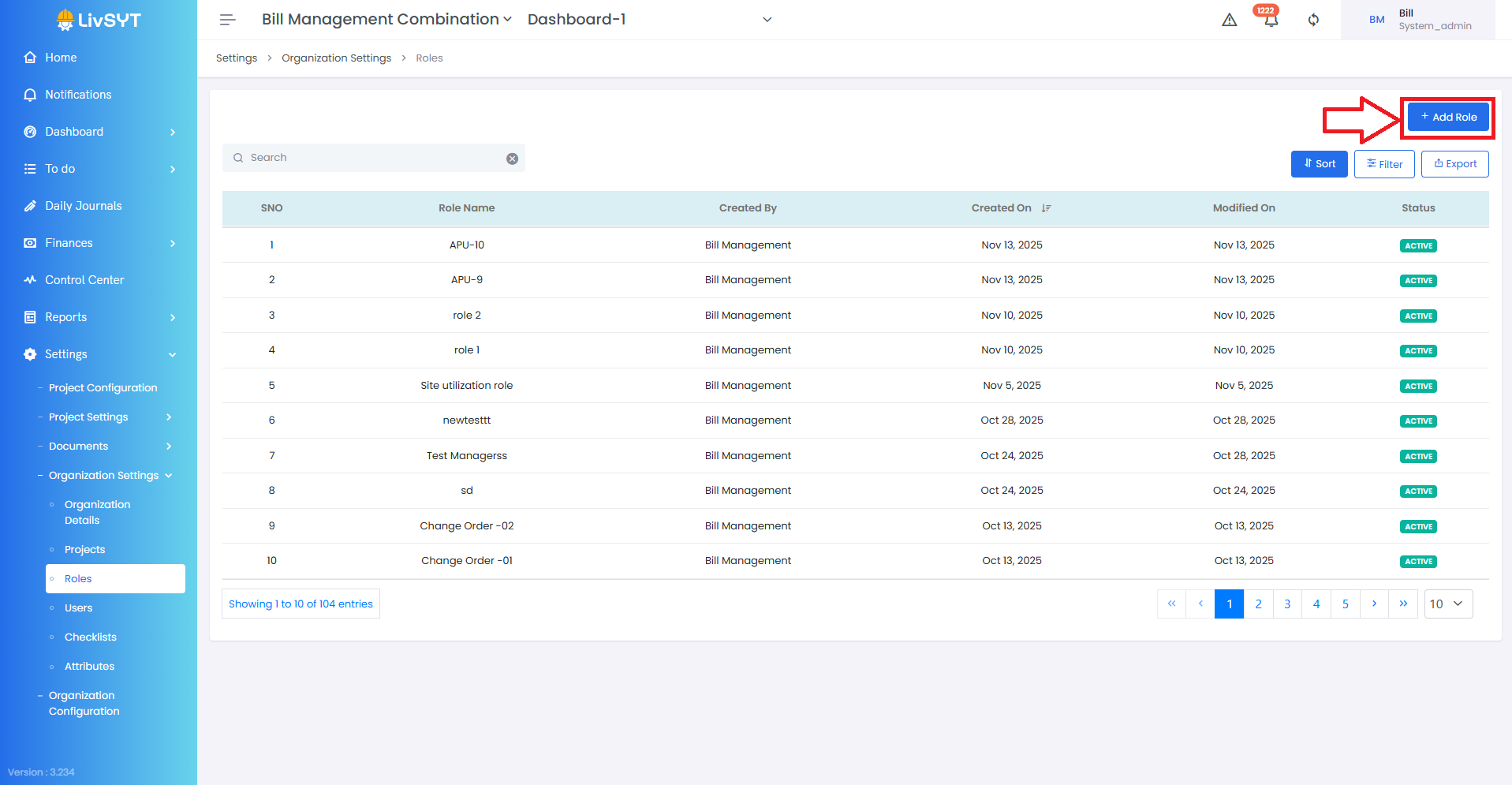
2) Start creating a role
- Click Add Role in the top-right corner.
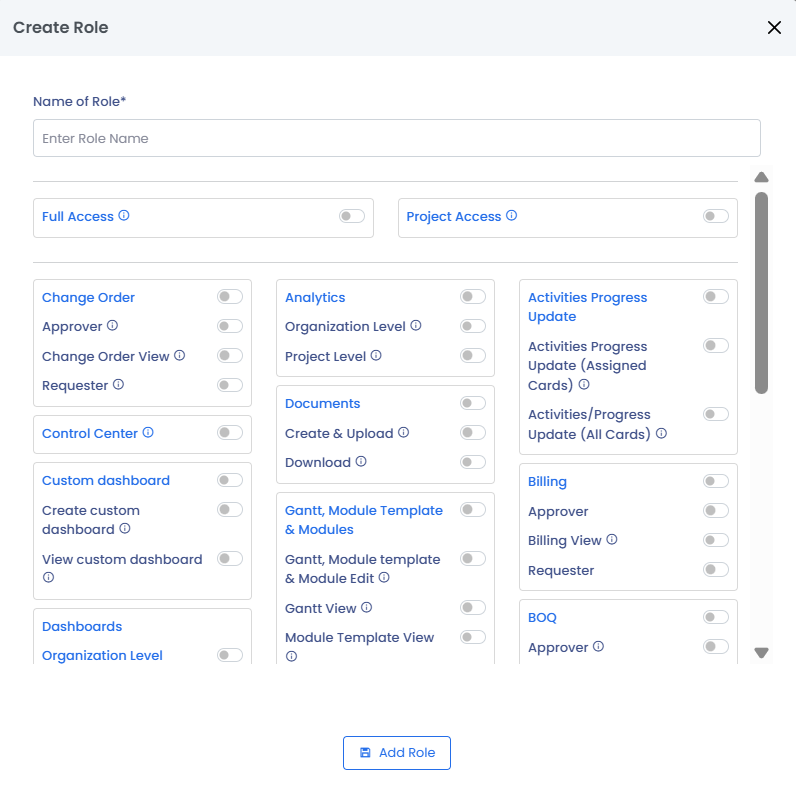
3) Enter role details
- Type the Role Name.
- Select the Access Permissions the role should have.
4) Save the role
- Click Add Role to create it.
Tips & Best Practices:
- Use clear and meaningful role names so teams understand responsibilities.
- Give only the access needed—avoid assigning unnecessary permissions.
- Review roles regularly to keep permissions updated as processes change.
- Create standardized roles to maintain consistency across projects.
- For any issues, contact LivSYT Support.
Related Resources:
What is the difference between a user and role?
Was this article helpful?
That’s Great!
Thank you for your feedback
Sorry! We couldn't be helpful
Thank you for your feedback
Feedback sent
We appreciate your effort and will try to fix the article