Purpose:
To explain how to change access permissions for a Role in livSYT.
Step-by-Step Instructions:
Note:
Only the System Admin or Project Admin can give or remove access for a role by default.
If you cannot see the access options, contact the concerned admin.
1) Open Role Settings
- Go to Organisation Settings → Roles.
2) Select the role
- Click on the role you want to edit.
3) View access options
- A panel will open on the right.
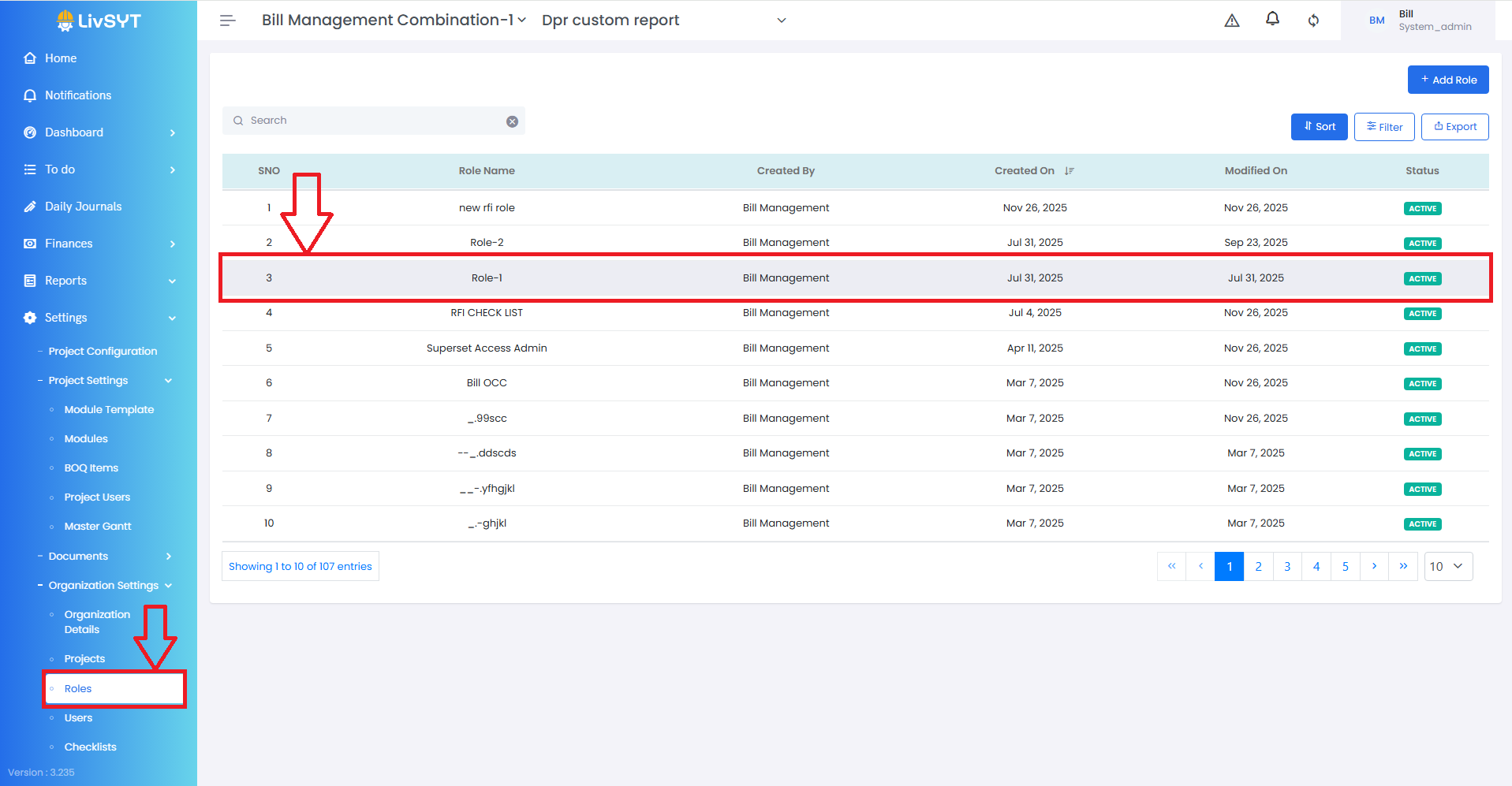
- You will see different access types such as Change Order, Modules, BOQ, etc.
4) Set the access level
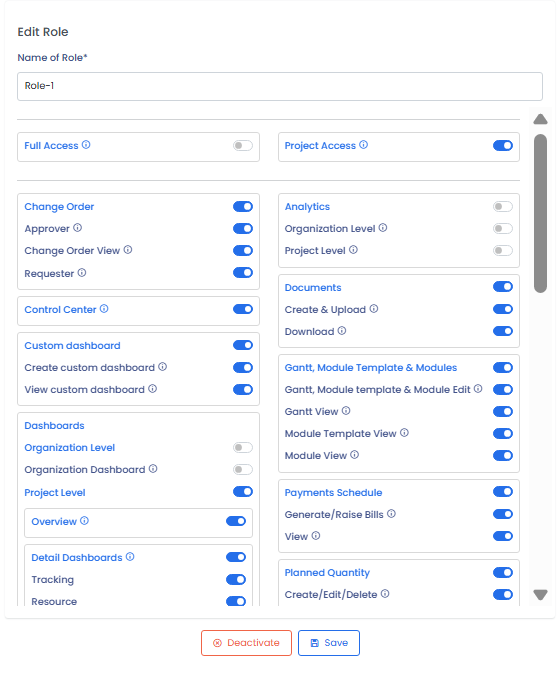
- Select Full Access to give complete Organisation access.
- Select Project Access to give complete Project-level access.
5) Save the changes
- Click Save.
Tips & Best Practices:
- Change access carefully, as it affects what users can control in the system.
- Give access only to users who need it for their role.
- Review access settings regularly for security and accuracy.
- Contact the System Admin or Project Admin if access options are not visible.
- For any issues, contact LivSYT Support.
Related Resources:
How to create a new User
What is the difference between a user and role?
How to create a new Role?
Was this article helpful?
That’s Great!
Thank you for your feedback
Sorry! We couldn't be helpful
Thank you for your feedback
Feedback sent
We appreciate your effort and will try to fix the article