Purpose:
Learn how to sort or filter activities in the Kanban View in livSYT to easily find and manage tasks.
Step-by-Step Instructions:
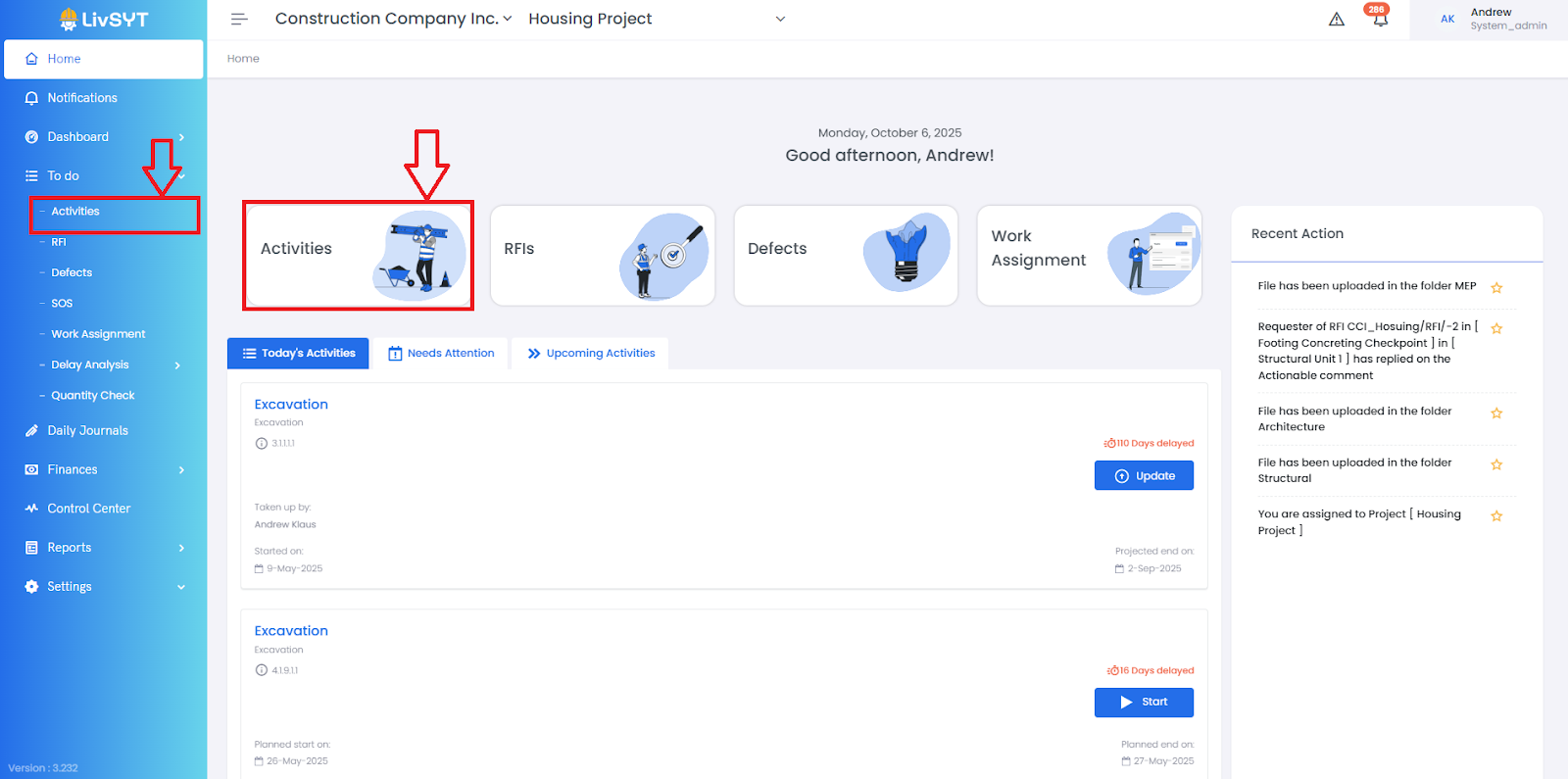
1. Open Activities
- From the Home page, click Activities.
- Or go to To-Do → Activities.
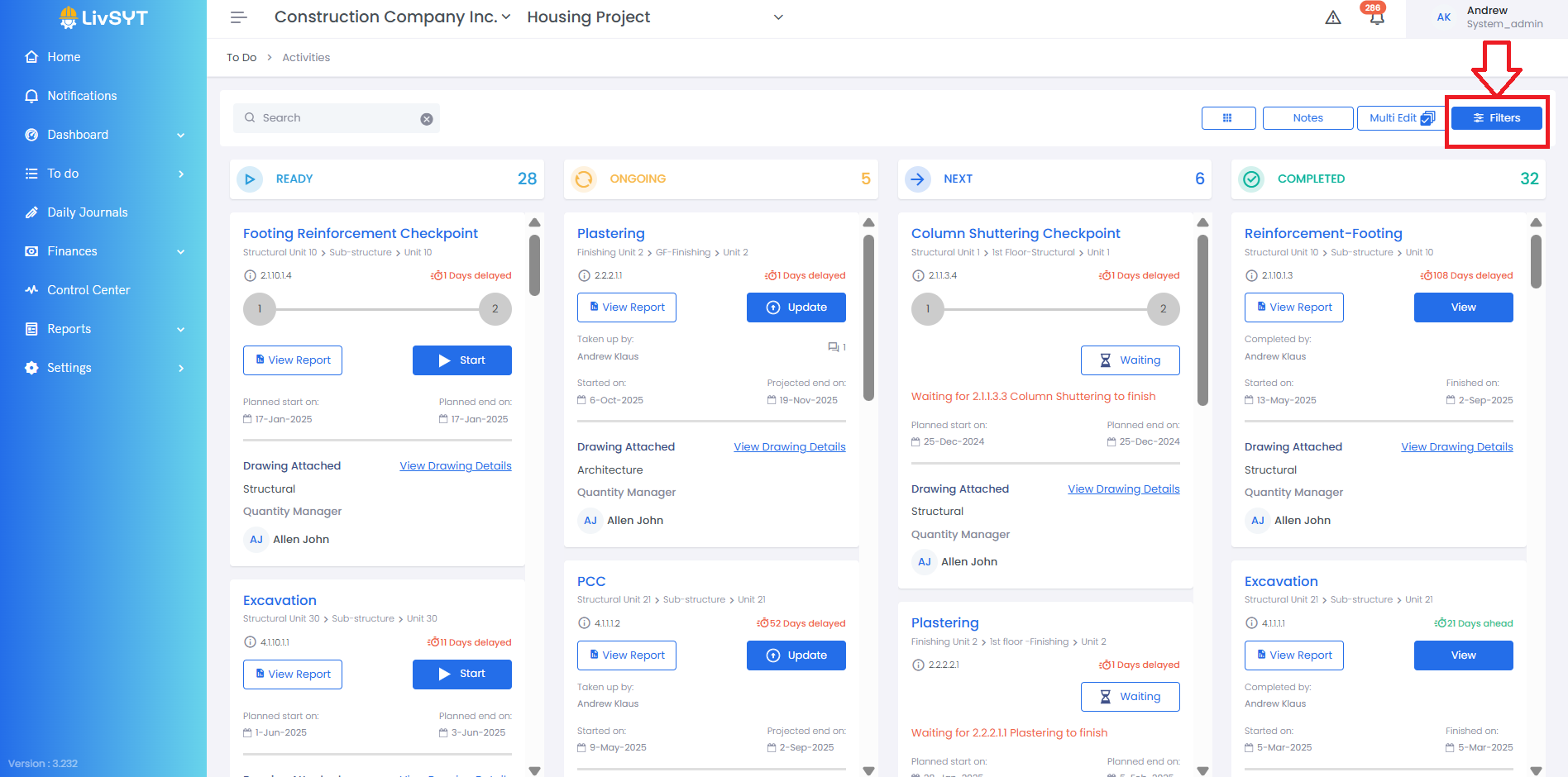
2. Locate Filter Options
- On the top-right corner, click the Filters button.
3. Choose a Filter Type
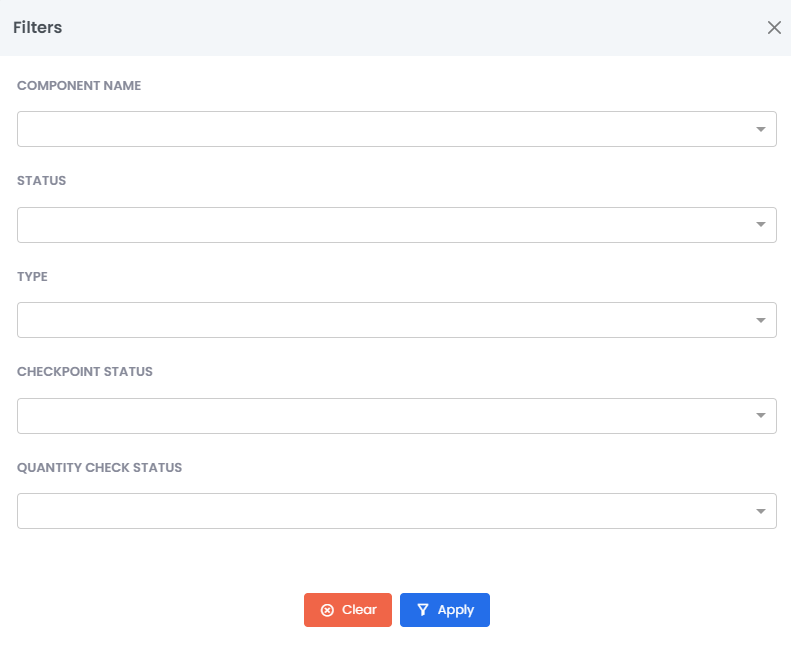
You will see different filter options such as:
- Component Name
- Status
- Type
- Checkpoint Status
- Quantity Check Status
4. Apply the Filter
- Select the filter you need.
- The Kanban view will show only the activities that match your selection.
Tips and Practices:
- Use filters like Status or Type to focus on specific work — for example, only ongoing or completed activities. This helps you view and manage progress faster.
- For any issues, contact LivSYT Support.
Related Resources:
How to update Quantity for an activity?
How to sort/filter activities in Tabular view?
Was this article helpful?
That’s Great!
Thank you for your feedback
Sorry! We couldn't be helpful
Thank you for your feedback
Feedback sent
We appreciate your effort and will try to fix the article