Yes, Quantity can be Updated for a day in the past.
Follow the instructions below, while setting the Log Date to the desired day in the past
Purpose: Learn how to update the quantity for a past date in livSYT.
Step-by-Step Instructions:
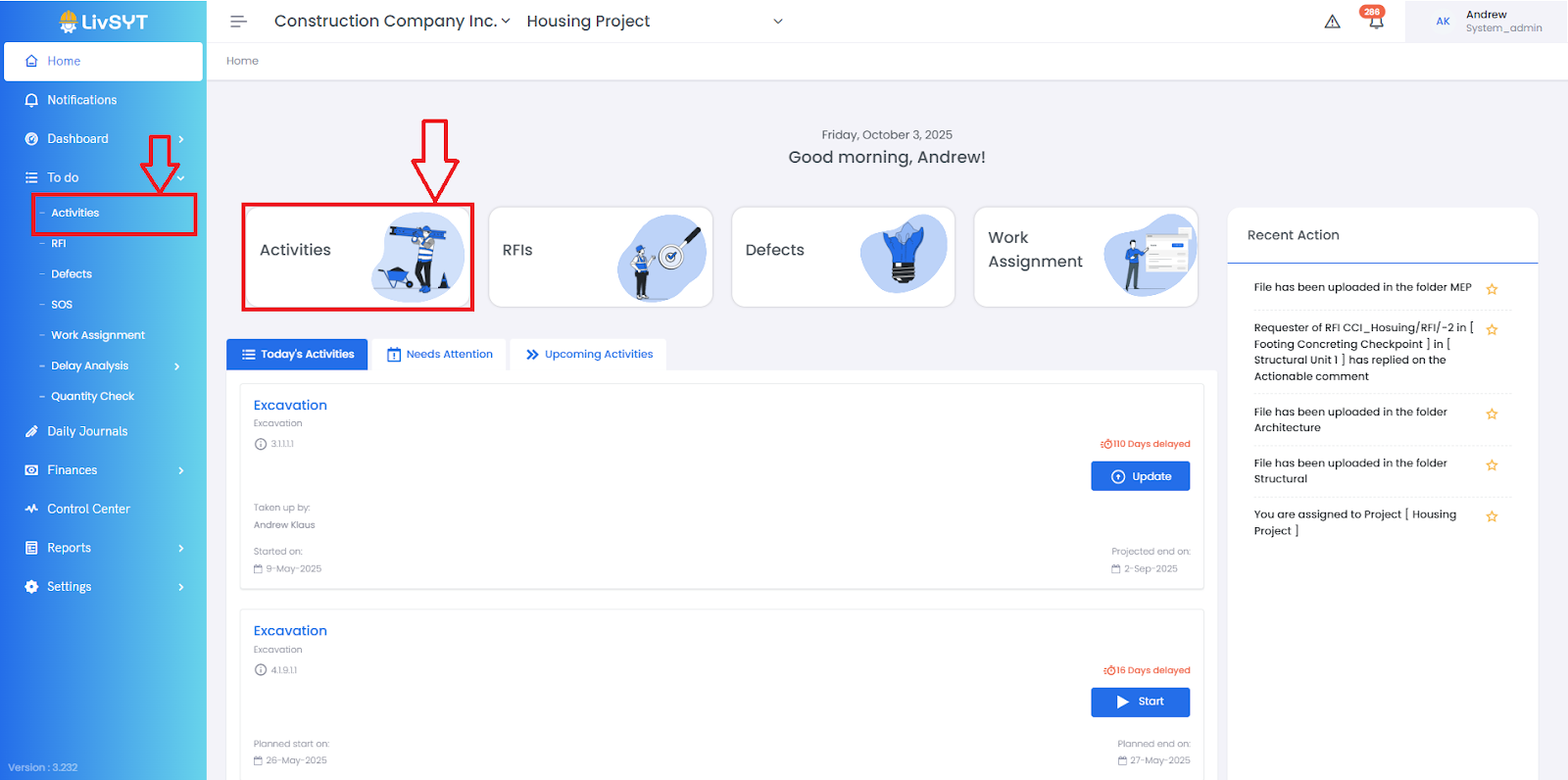
1. Go to Activities
Open the Home page.
From the left menu, click Activities.
Or, you can go to To Do → Activities.
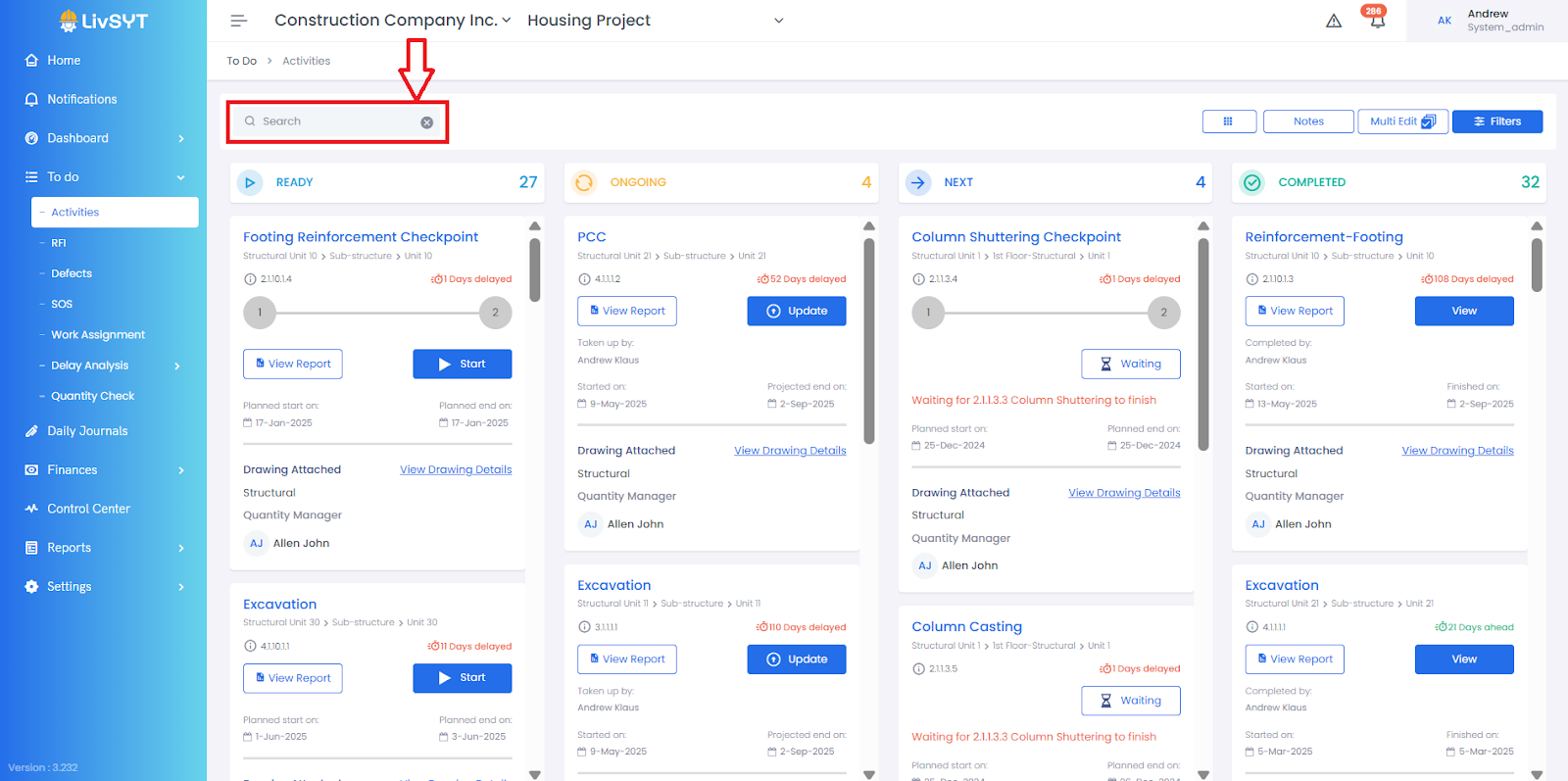
2. Find the Activity
Type the activity name (or a keyword) in the search bar.
Choose the activity you want to update under Ongoing Section
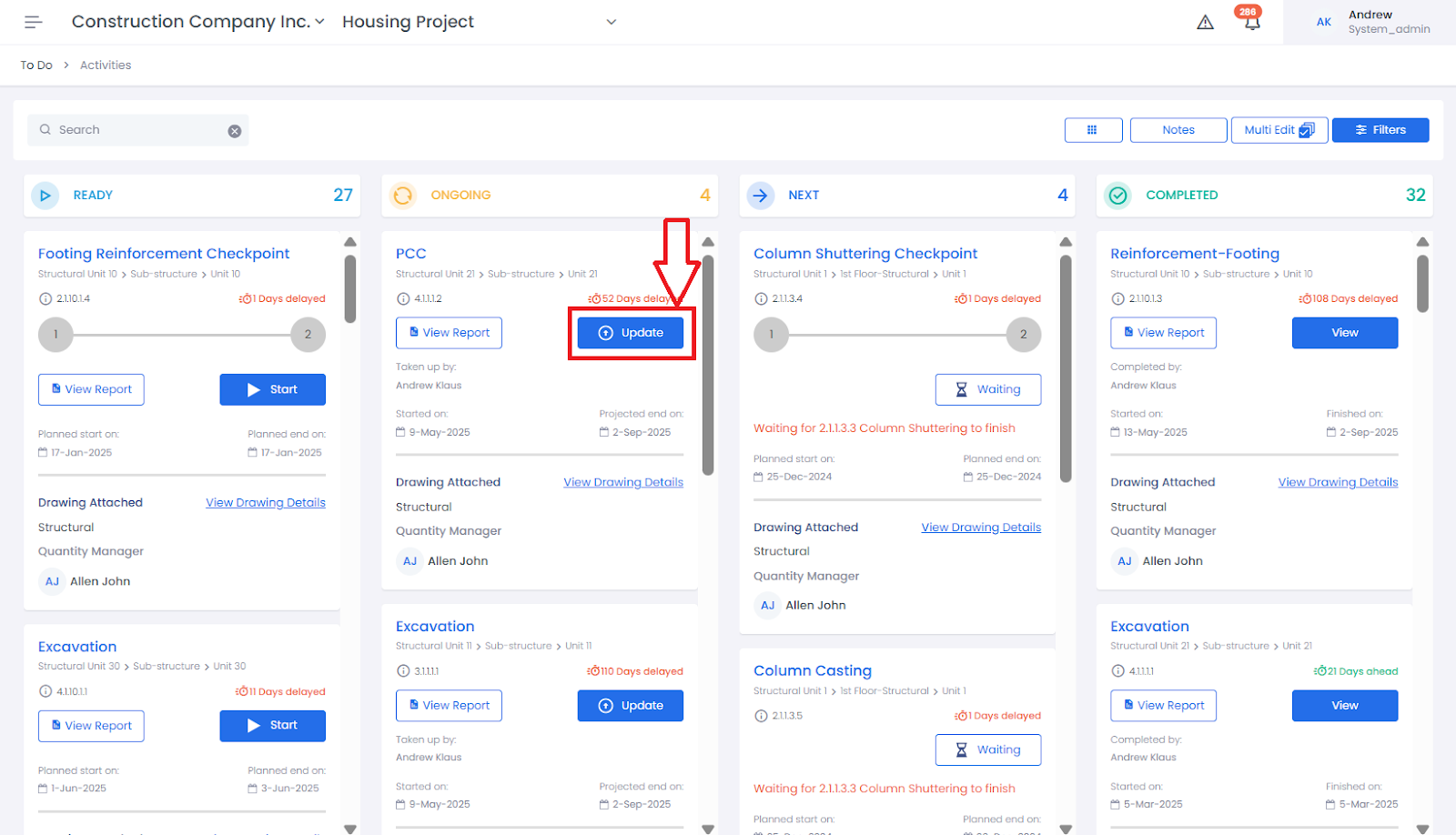
3. Open Update
Click the Update button next to that activity.
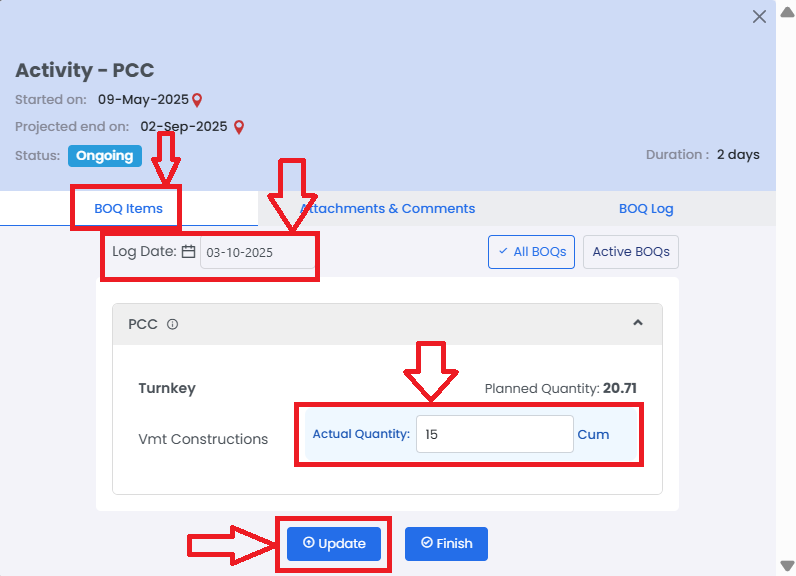
4. Enter New Quantity
Under BOQ Items section :
Set the Log Date to the desired day in the past (the date for the update).
Type the Quantity in Actual Quantity(how much work is done).
Click Update.
5. Save the Changes
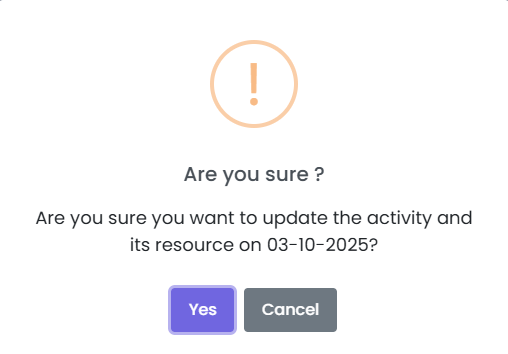
Check if the details are correct.
Click Yes to confirm.
Tips & Best Practices
Always verify the activity details before updating the quantity.
Use clear, descriptive keywords in the search bar for faster results.
Do not click on Finish, unless you want to
For any issues, contact LivSYT Support.
Related Resources:
What is Log Date?
Was this article helpful?
That’s Great!
Thank you for your feedback
Sorry! We couldn't be helpful
Thank you for your feedback
Feedback sent
We appreciate your effort and will try to fix the article