Purpose:
To explain how users can view a Module Report in livSYT.
Step-by-Step Instructions:
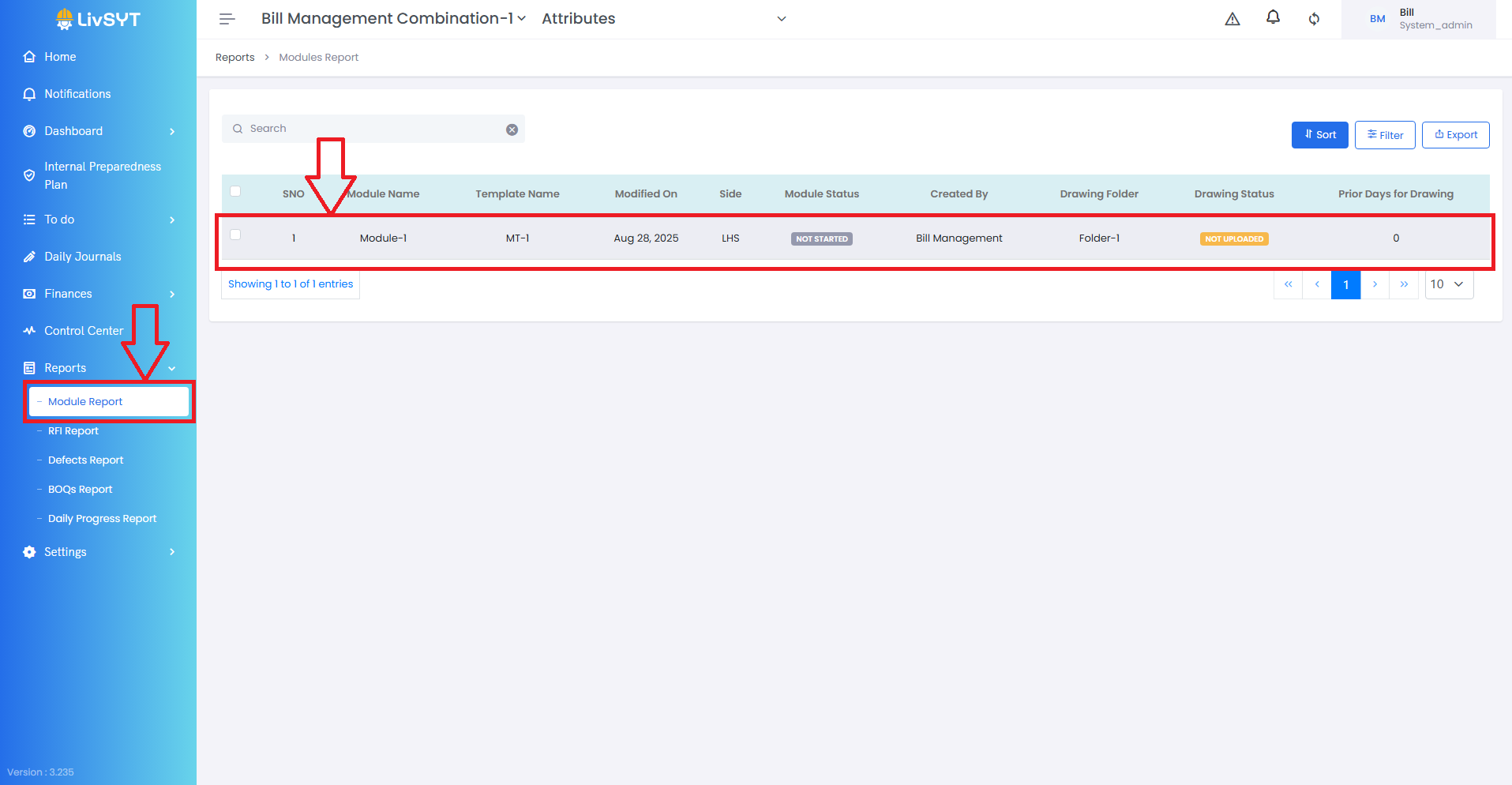
1) Open Module Report
- Go to Reports → Module Report.
2) Select the module
- Click on the module you want to view.
- Respective Module Report opens up
What you can see in a Module Report:
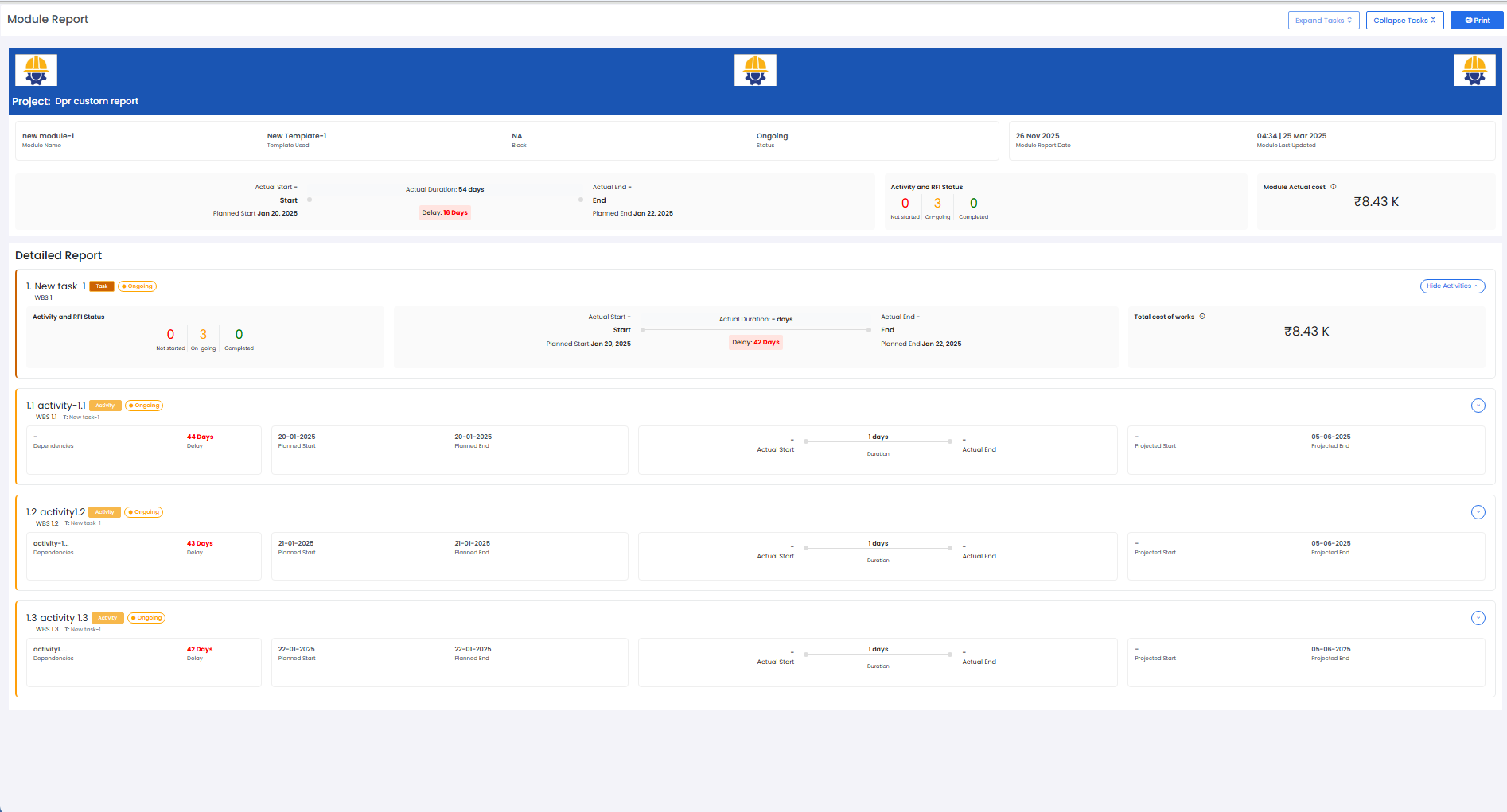
A Module Report shows detailed information about each activity, including:
- Start and End Dates (both Planned/Projected and Actual)
- BOQ Details
- Cumulative Quantity (total quantity updated so far)
- Cumulative Cost
- Timeline/History of all BOQ updates
- Location details (Latitude and Longitude of where the update was made)
- Role/User who made the update
Tips & Best Practices:
- Check the cumulative values for accurate project monitoring.
- Use location data to confirm site updates were done on-site.
- For any issues, contact LivSYT Support.
Related Resources:
What is a module?
How to create a module?
Was this article helpful?
That’s Great!
Thank you for your feedback
Sorry! We couldn't be helpful
Thank you for your feedback
Feedback sent
We appreciate your effort and will try to fix the article