Purpose:
Learn how to view and download RFI logs and reports in LivSYT for tracking inspection progress and maintaining project documentation.
Step-by-Step Instructions:
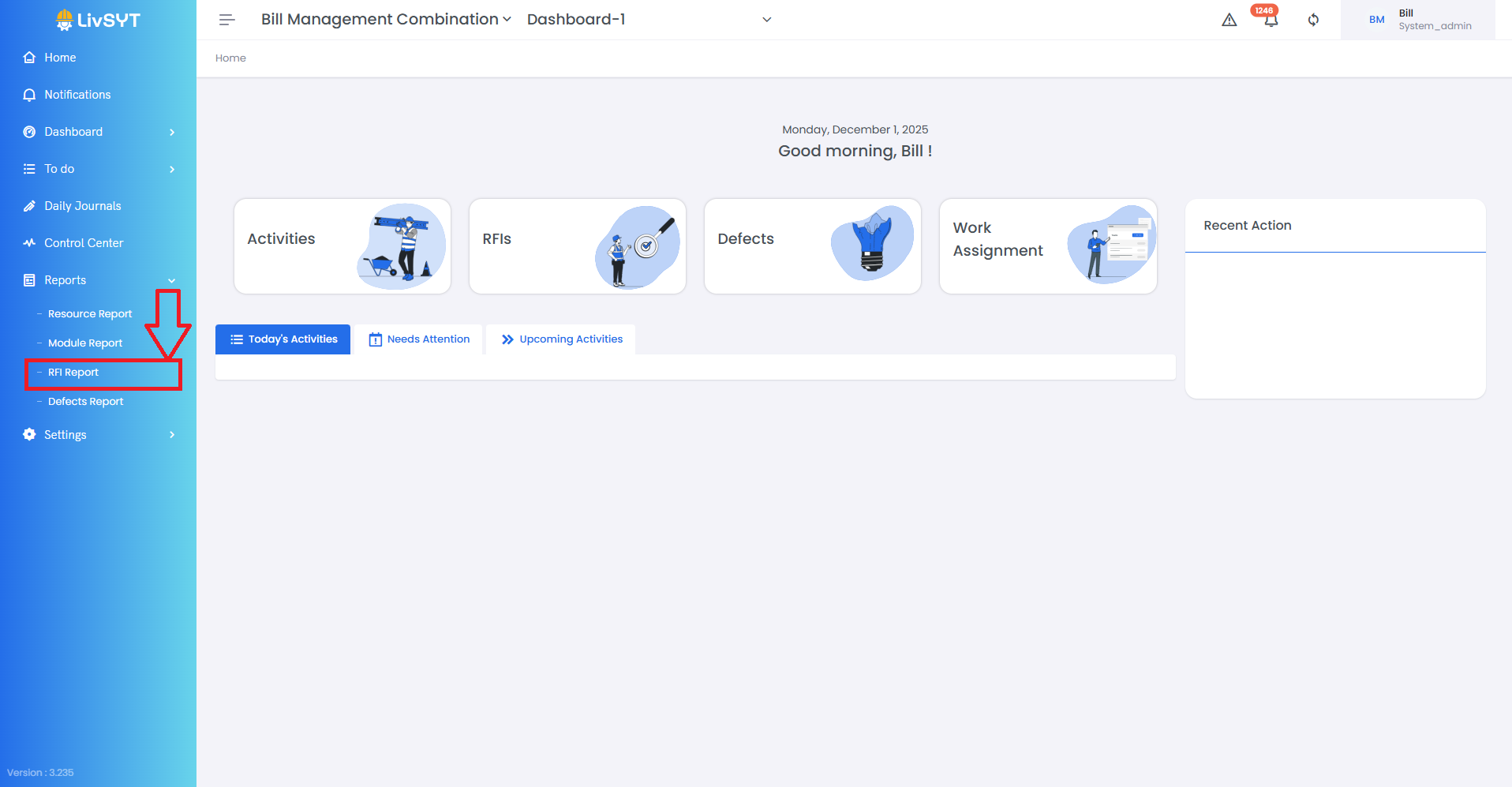
1. Access the Reports Section
- Click on Reports from the left-side menu.
- Choose RFI Report from the available options.
2. View RFI Logs by Status
- You can find RFIs categorized under Raised, Open, Closed, and Draft sections.
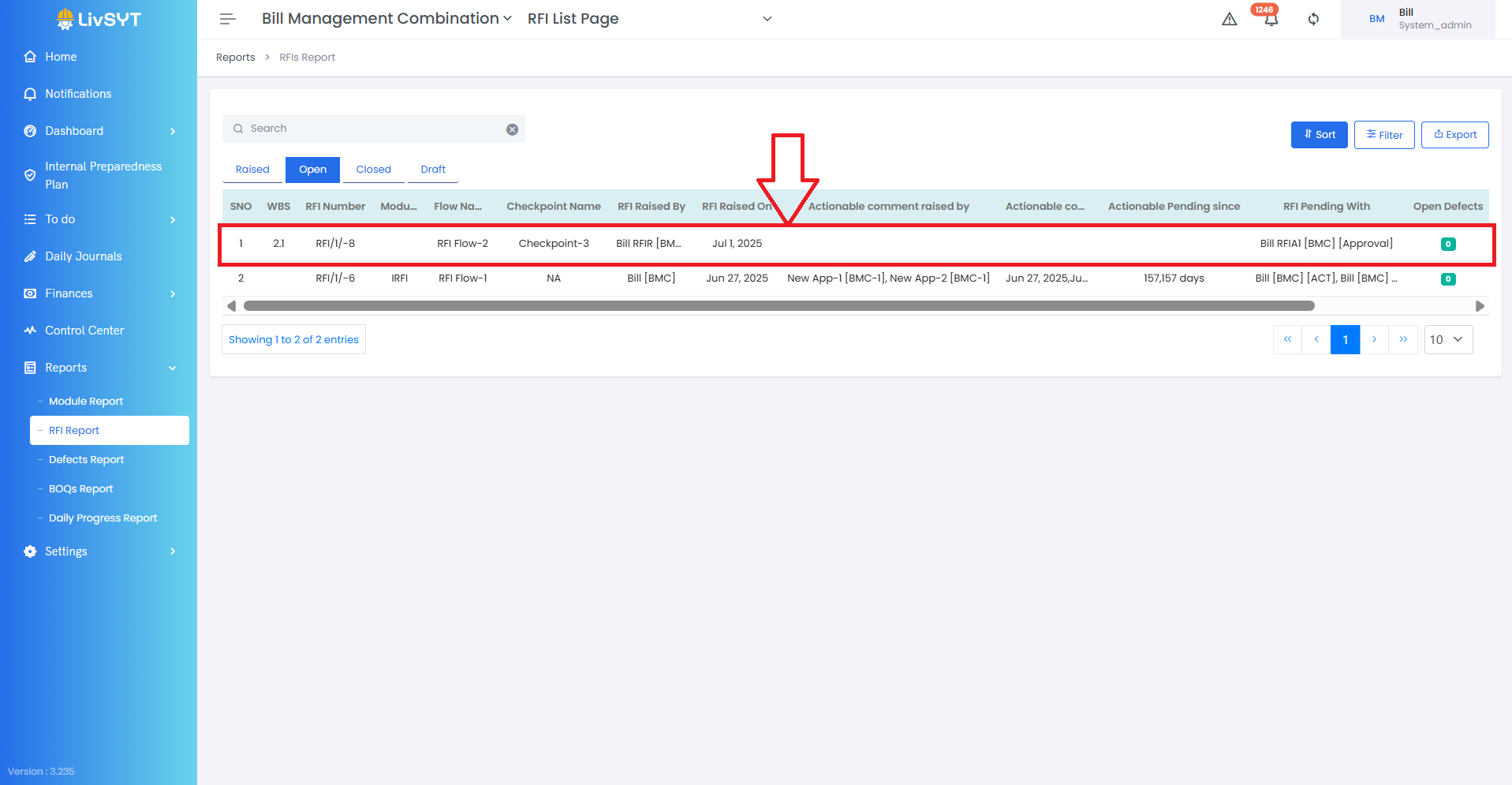
3. Open and Review Report
- Click on the respective RFI to view its detailed report and log.
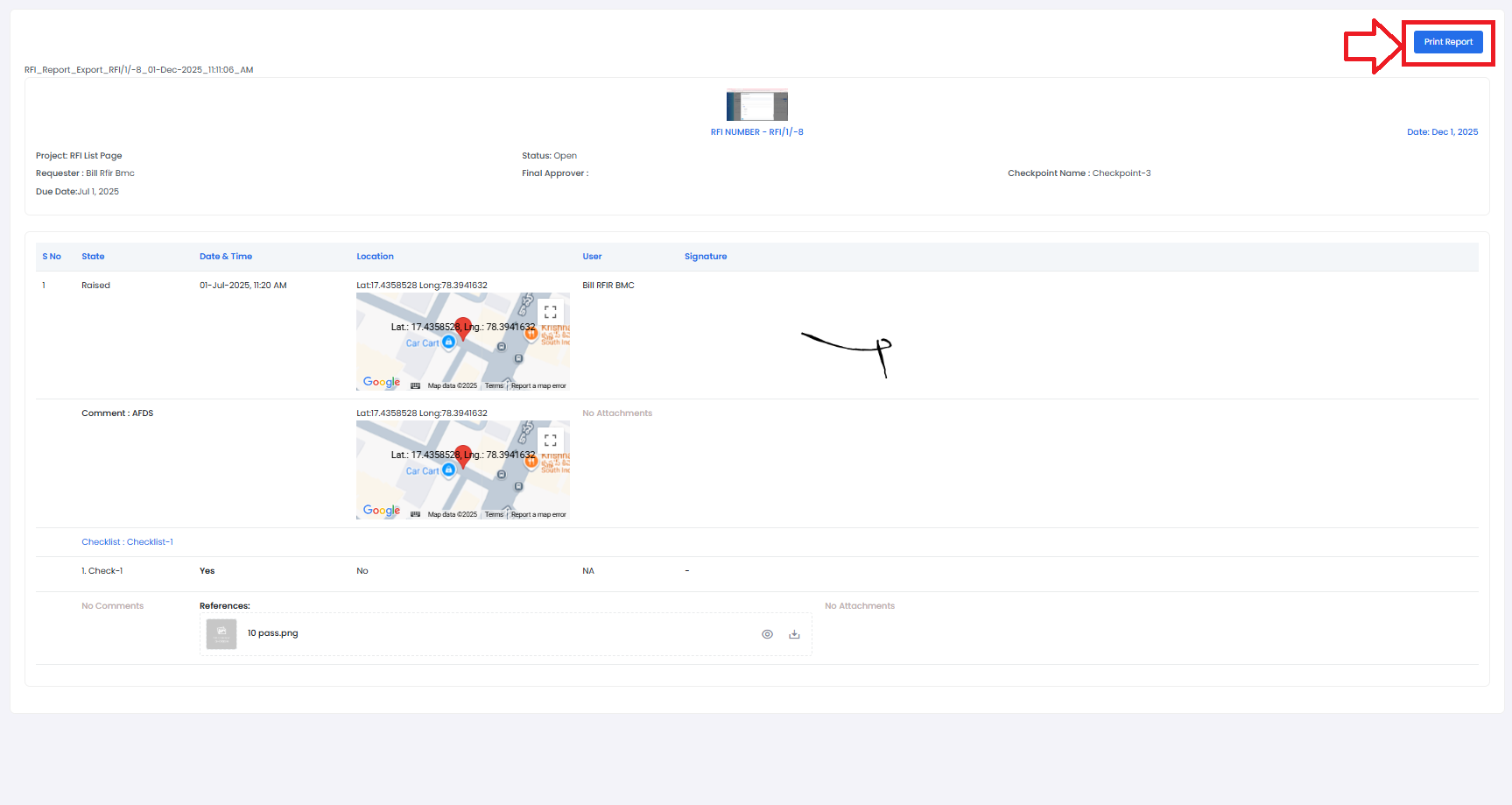
4. Download or Print Report
- Click on Print Report at the top-right corner to generate an offline copy.
Tips & Best Practices:
- Always check the log section to see the full timeline of actions taken.
- Download important RFI reports for audits or documentation.
- Keep your project team informed by sharing relevant reports when required.
- For any issues, contact LivSYT Support.
Related Resources:
How to Raise an RFI?
How make an RFI Actionable?
Was this article helpful?
That’s Great!
Thank you for your feedback
Sorry! We couldn't be helpful
Thank you for your feedback
Feedback sent
We appreciate your effort and will try to fix the article