Purpose:
To explain how users can create a new Module in livSYT.
Step-by-Step Instructions:
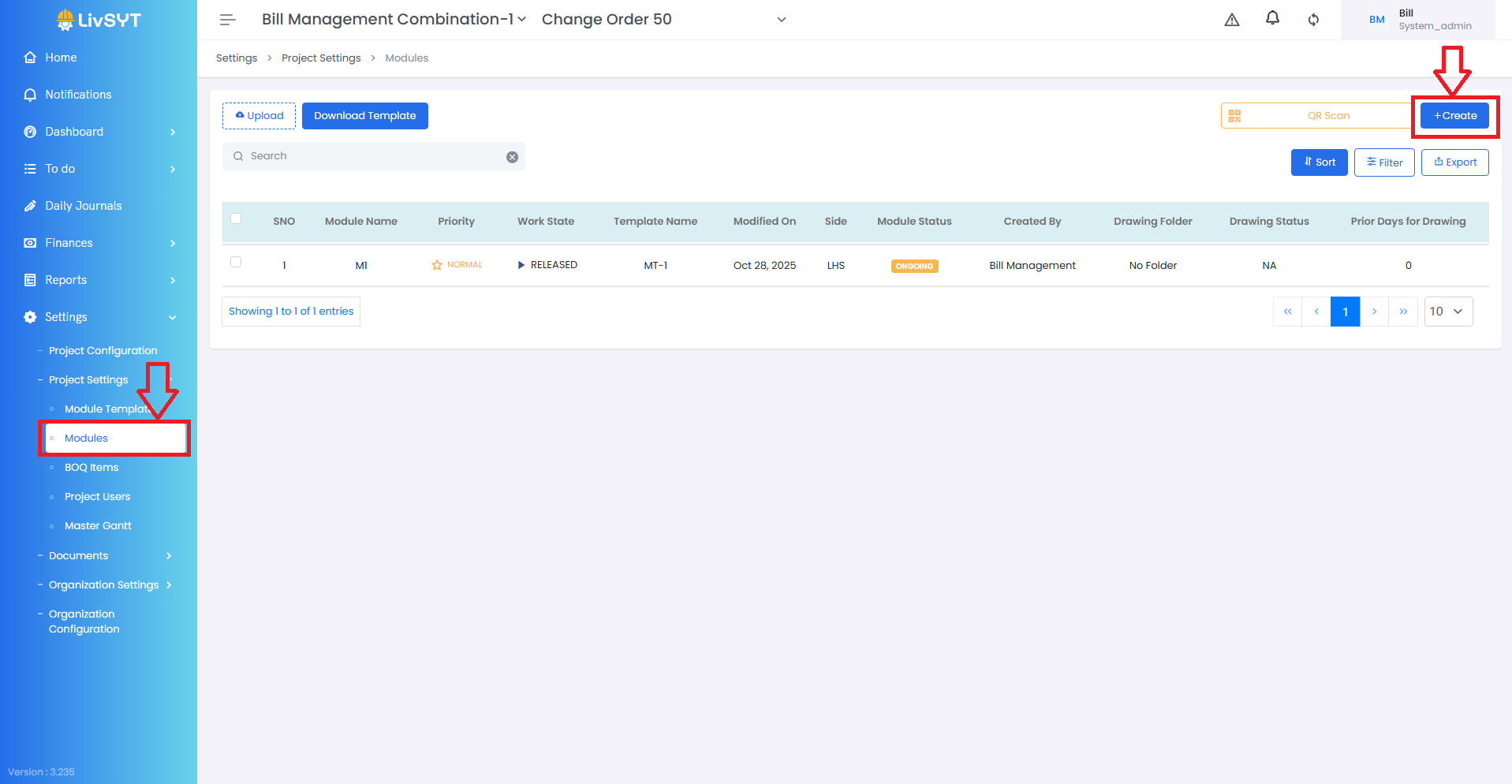
1) Open Module Settings
- Go to Settings → Project Settings → Modules.
2) Start creating a module
- Click Create at the top-right corner.
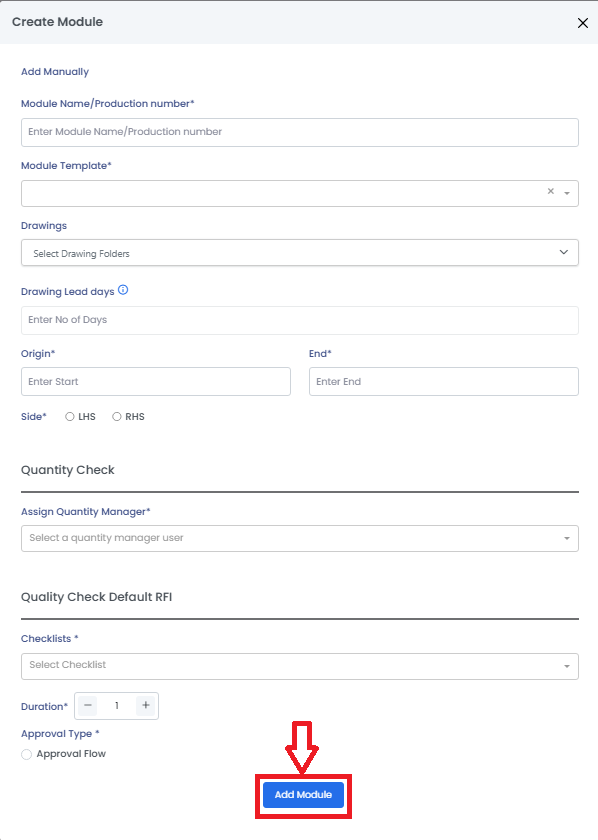
3) Enter module details
- Module Name / Production Number: Enter a name that clearly shows the Month, Zone, Area, etc., for which the work is planned.
- Module Template: Select the correct Module Template.
- Quantity Manager: Choose the user who will manage quantity updates.
- Checklists: Select the checklist to be used for Quality Check.
- Duration: Enter how long the module will run.
- Approval Type: Select the needed approval type.
Tips & Best Practices:
- Use clear module names so team members can easily identify the work area.
- Always select the correct Module Template to avoid errors later.
- Ensure the Quantity Manager has the right role and permissions.
- Choose the right checklists to maintain proper quality tracking.
- For any issues, contact LivSYT Support.
Related Resources:
What is a module?
Was this article helpful?
That’s Great!
Thank you for your feedback
Sorry! We couldn't be helpful
Thank you for your feedback
Feedback sent
We appreciate your effort and will try to fix the article