Purpose: Learn how to search for an activity in the Tabular View in livSYT.
Step-by-Step Instructions:
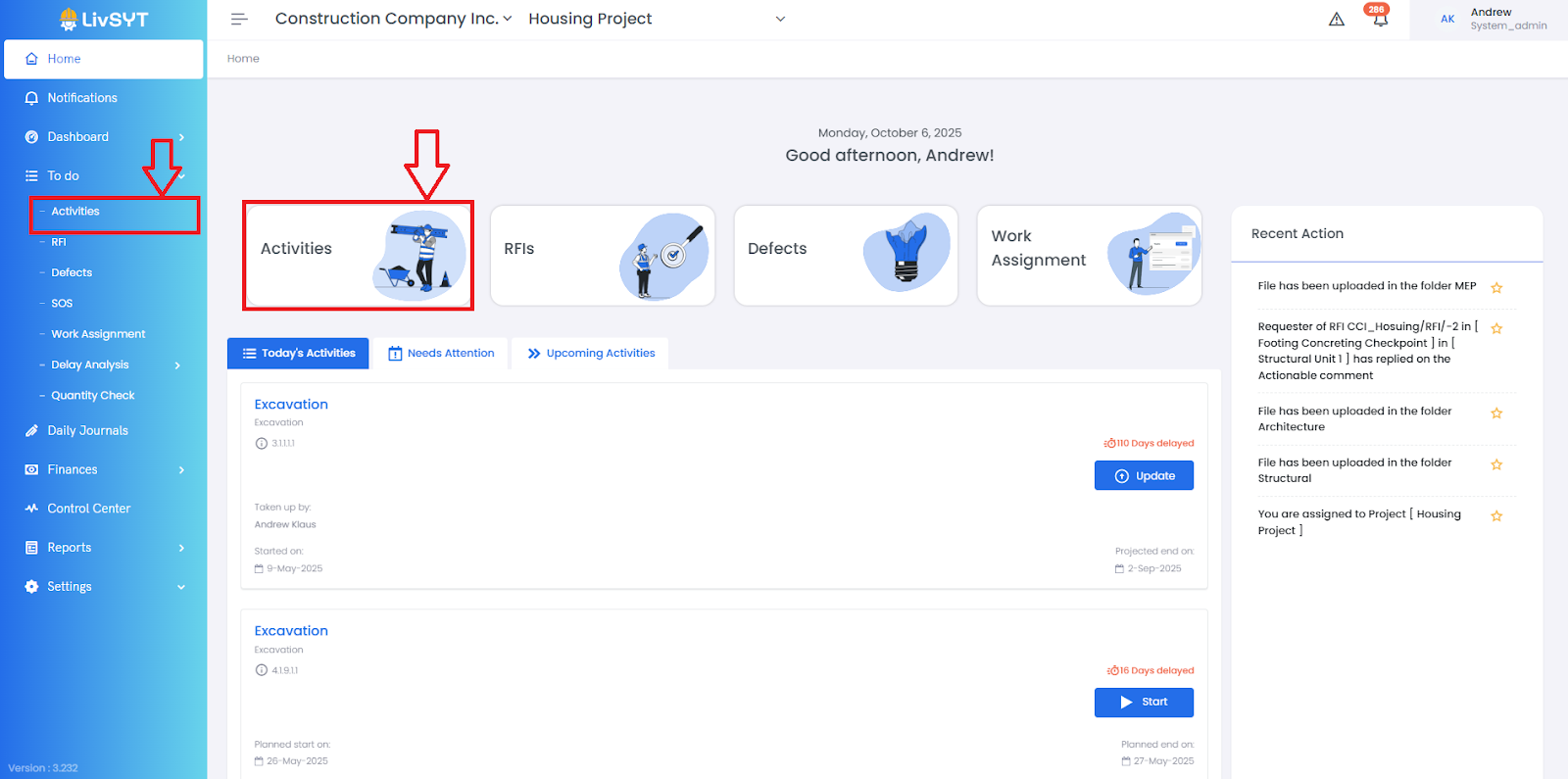
1. Open Activities
- From the Home page, click Activities.
- Or go to To-Do → Activities.
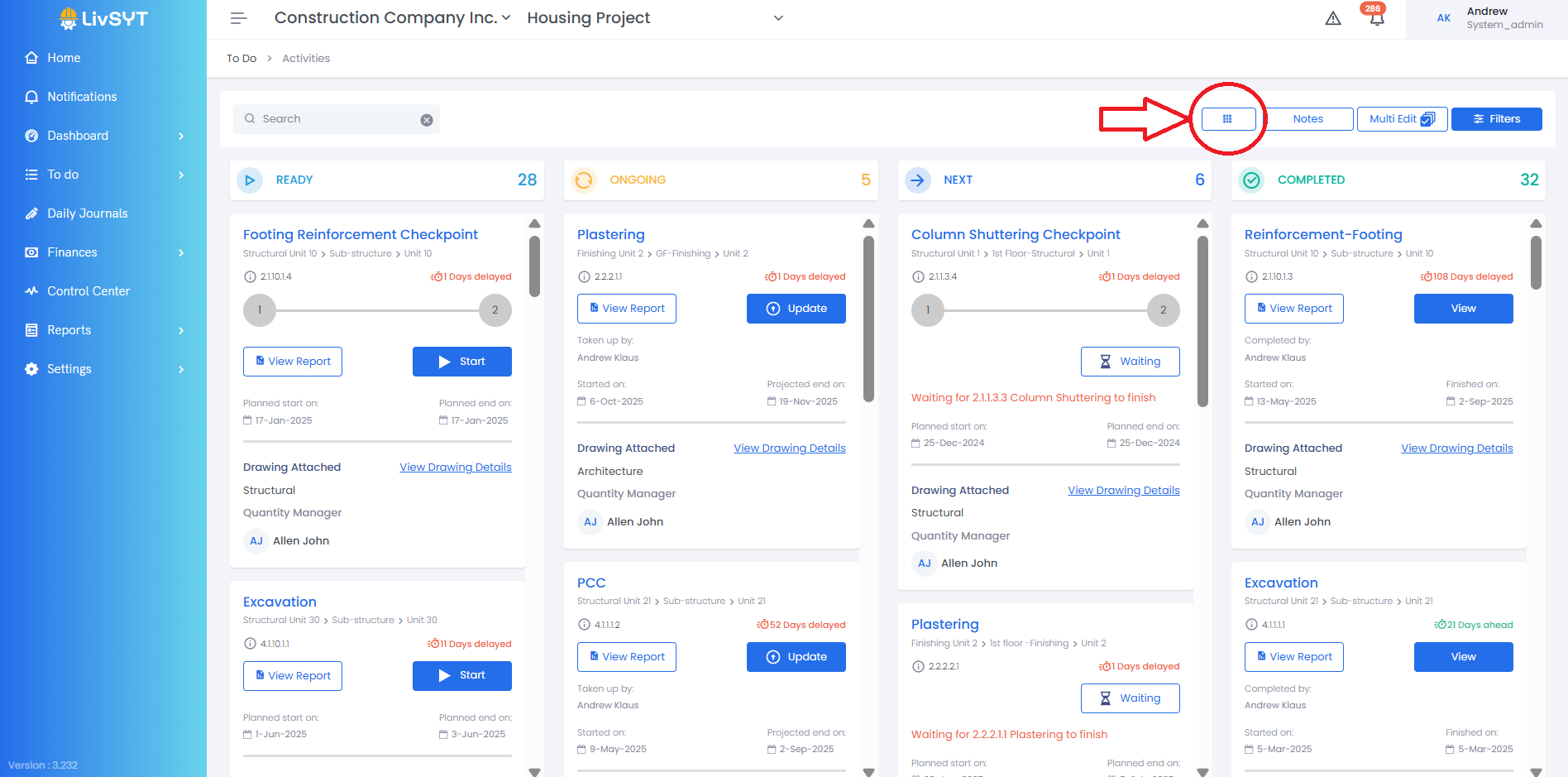
2. Go to Tabular View
- Click the nine-square (grid) icon next to the Notes icon.
- Activity Page will open up in Tabular View
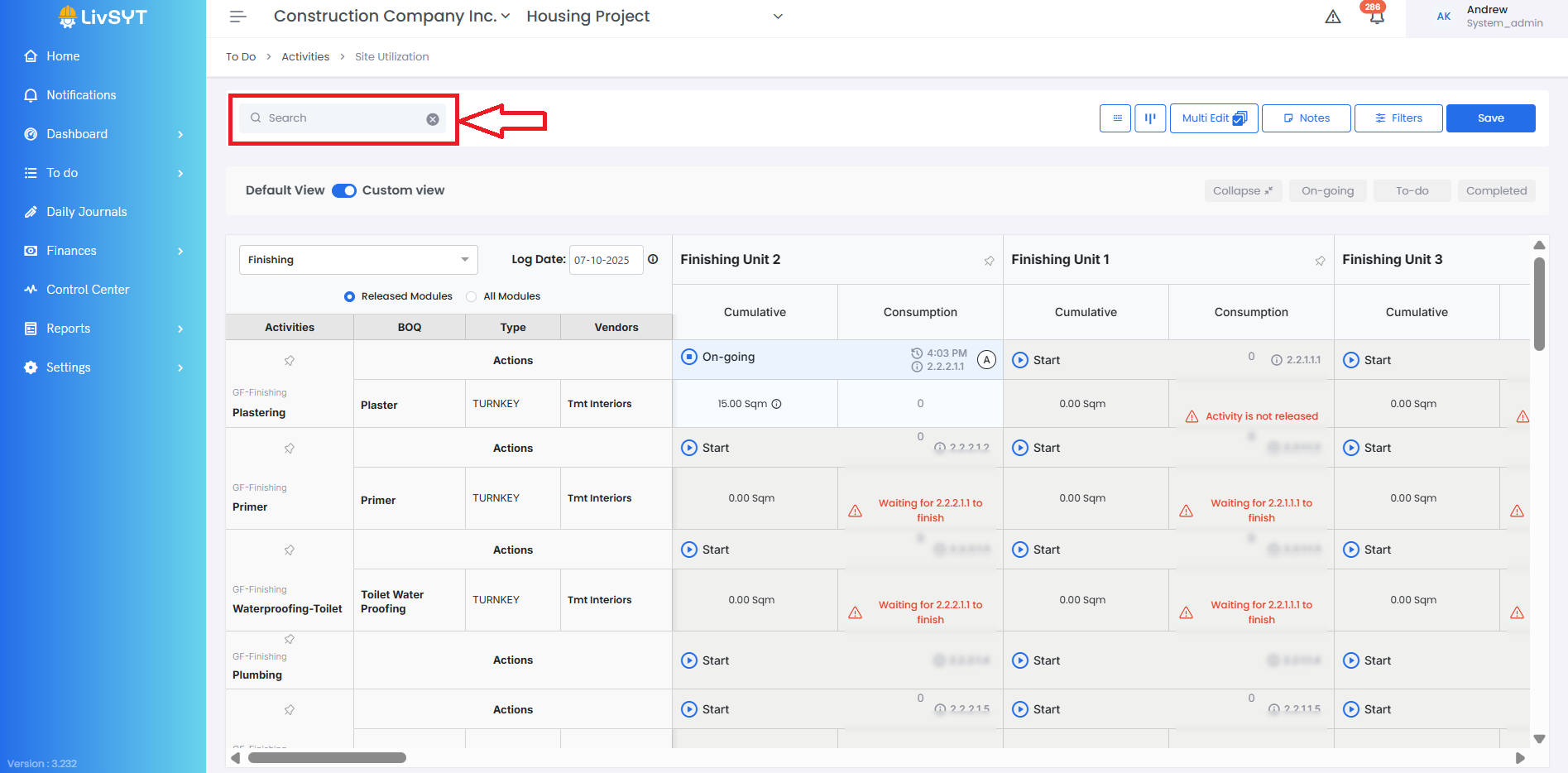
3. Find the Activity
- Use the search bar to find the activity you want to update.
- There can be same Activity under multiple Tasks and Sub Tasks
For example,
Zone A -> 1st Floor -> Concreting
Zone B -> 1st Floor -> Concreting
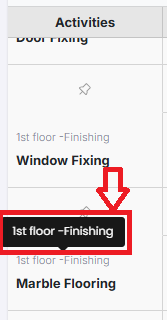
- Hover above the activities to find the exact activity you are looking for by seeing the full name of Sub Task of that Activity
Related Resources:
How to update work done for a particular module(month)?
Was this article helpful?
That’s Great!
Thank you for your feedback
Sorry! We couldn't be helpful
Thank you for your feedback
Feedback sent
We appreciate your effort and will try to fix the article