Purpose: Learn how to sort or filter activities in the Tabular View in livSYT to find specific records.
Refer to the article below, to open Activity Page in Tabular View:
How to search an activity in Tabular view?
- In the Tabular View, navigate to the right corner where you find three categories
i)Ongoing
ii)To-Do
iii)Completed
- Select the required category to filter the activities based on that category
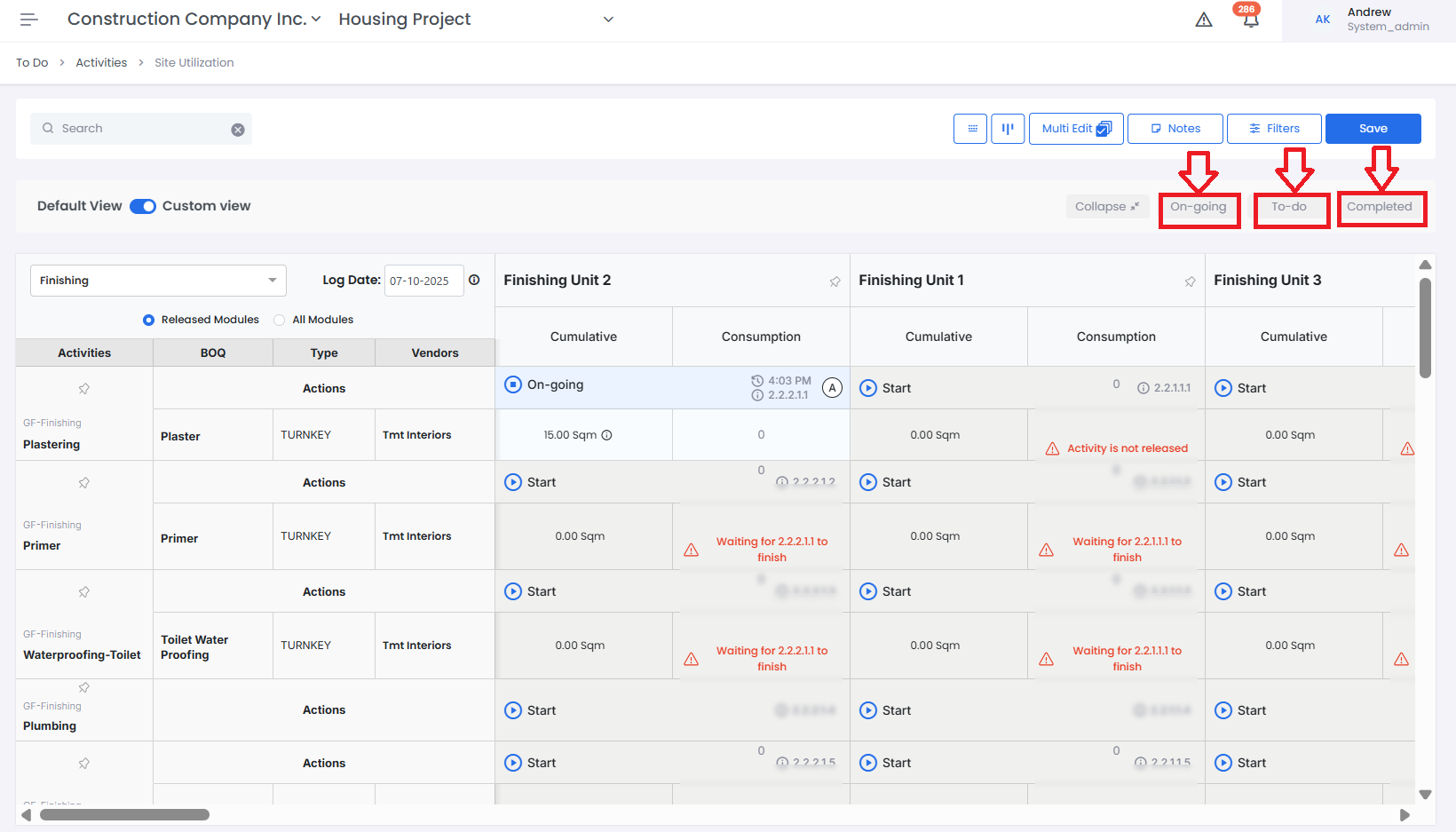
- You can now find the Activities filtered out based on filter applied
Tips and Practices:
- You can also apply multiple filters if needed
- For any issues, contact LivSYT Support.
Was this article helpful?
That’s Great!
Thank you for your feedback
Sorry! We couldn't be helpful
Thank you for your feedback
Feedback sent
We appreciate your effort and will try to fix the article