Purpose:
Understand what a WBS Number (unique activity identifier) is and learn how to find it in the Master Gantt in livSYT.
Step-by-Step Instructions:
1. Know What WBS Means
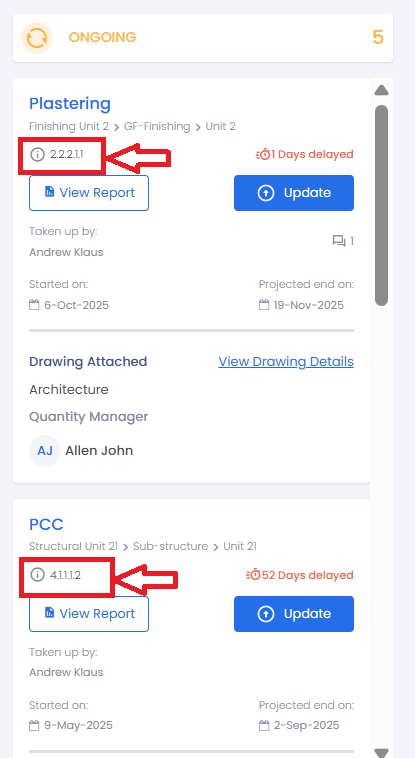
- Each activity in livSYT has a Unique WBS Number (Work Breakdown Structure number).
- This number is used to identify and track each activity in the project.
2. Open Master Gantt
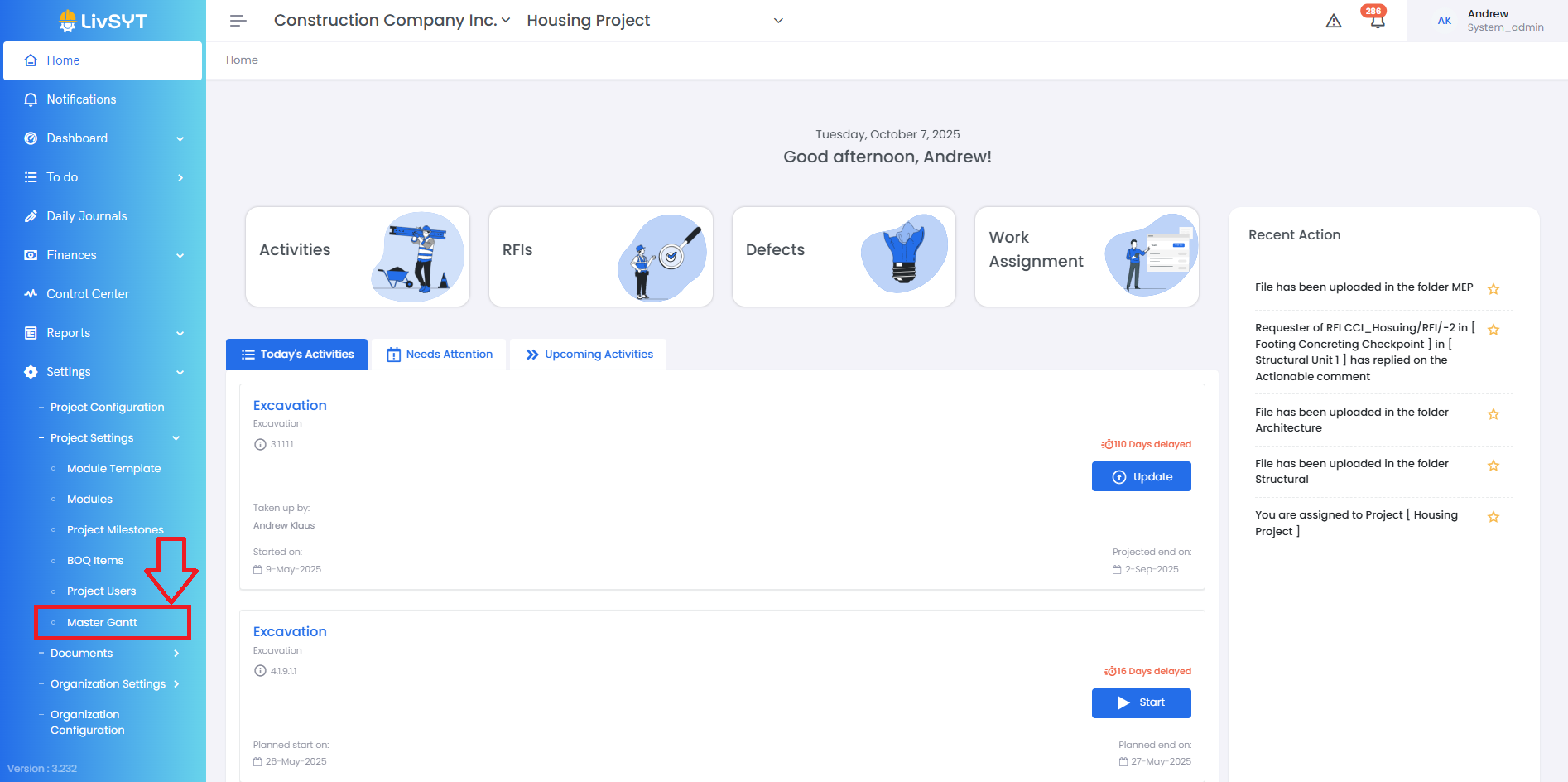
- Go to Settings → Project Settings → Master Gantt.
3. View All Activities
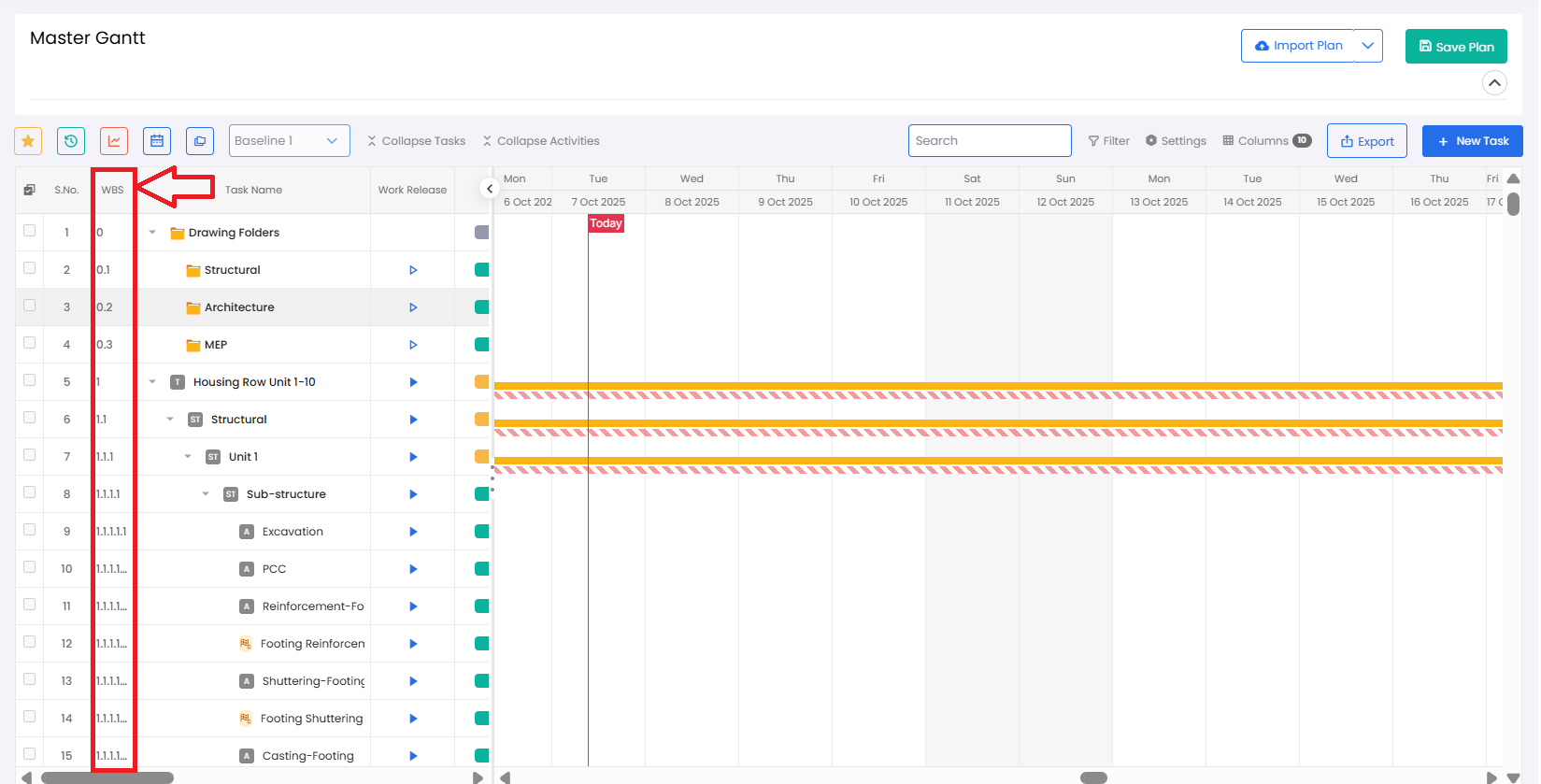
- Click Expand Tasks and Expand Activities to see all activities listed.
4. Find the WBS Number
- Look under the WBS column — each activity will have its own unique number.
- This number helps you recognize and refer to the correct activity.
Tips and Practices:
- Keep a note of the WBS number while checking or updating activities. It ensures you’re working on the right one, especially when names are similar.

- For any issues, contact LivSYT Support.
Related Resources:
How to update Quantity for an activity?
Was this article helpful?
That’s Great!
Thank you for your feedback
Sorry! We couldn't be helpful
Thank you for your feedback
Feedback sent
We appreciate your effort and will try to fix the article