Purpose:
To establish a consistent, standardized numbering sequence and prefix system for tracking all Transmittal documents across a project lifecycle.
Step-by-Step Instructions:
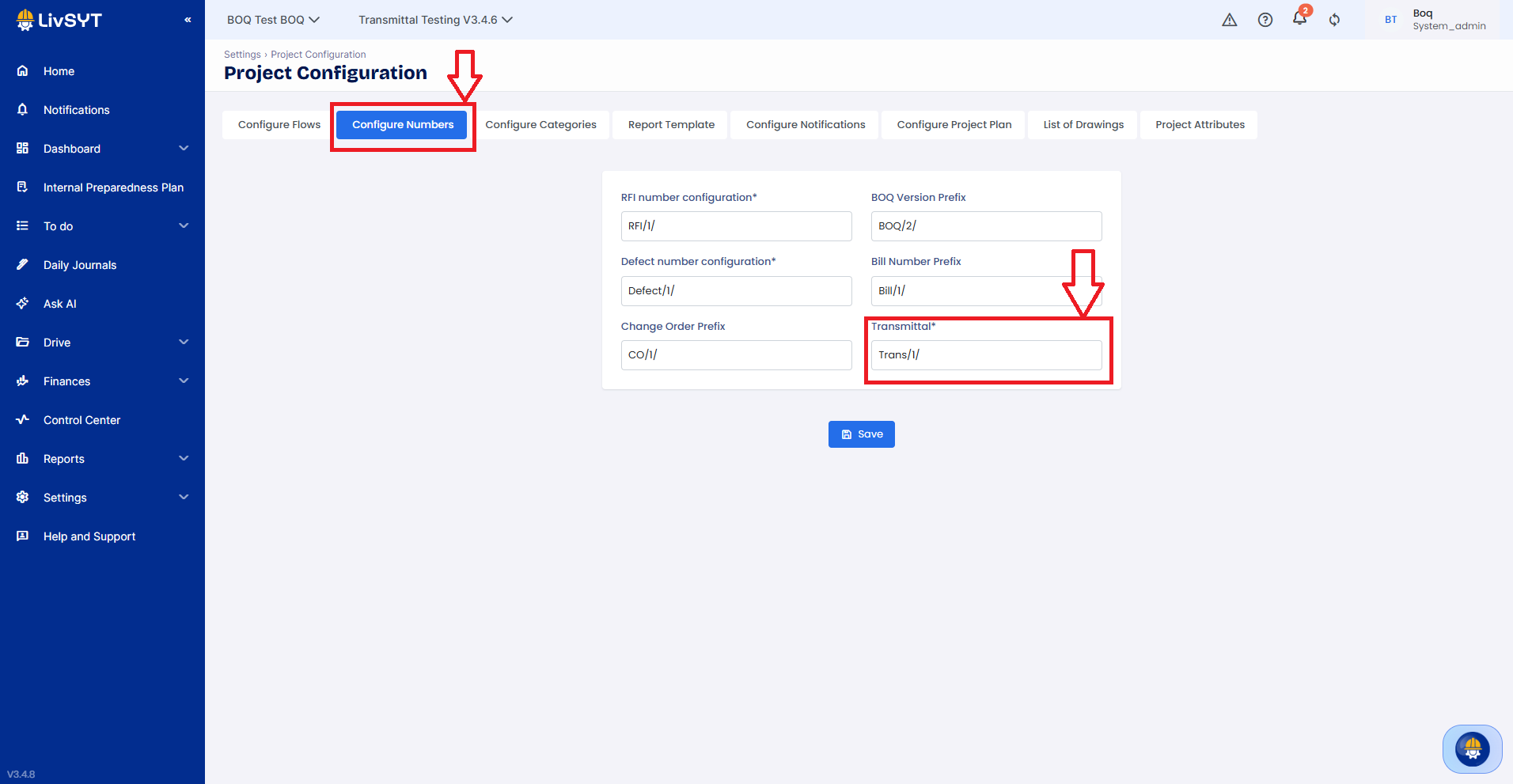
Navigate to Number Configurations
Go to Settings > Project Configuration.
Click on the Configure Numbers tab.
Locate Transmittal Customization
On the configuration screen, locate the Transmittal number input box (positioned alongside other feature settings like RFI and Change Orders).
Define Your Prefix
Type your desired custom organizational nomenclature or project code prefix directly into the field (e.g.,
Transmittal/or your company-specific abbreviation).
Apply and Deploy
Click the Save button at the bottom of the page. All further Transmittals generated in this project will automatically inherit this prefix combined with a system-driven sequential index number.
Example: For the prefix, "HousingProject/", Transmittals will be generated as "HousingProject/1","HousingProject/2", "HousingProject/3" etc.
Tips and Practices:
- Standardization: Ensure your prefix aligns with your organization's document control protocols so that external stakeholders can easily reference records.
- Consistency: Changing the nomenclature midway through an active project won't overwrite existing historical Transmittal IDs, but it's best practice to finalize this setting at the project kick-off phase.
Was this article helpful?
That’s Great!
Thank you for your feedback
Sorry! We couldn't be helpful
Thank you for your feedback
Feedback sent
We appreciate your effort and will try to fix the article