Purpose:
To guide Project Admins and Organization Admins through setting up approval-based workflows for Transmittals, ensuring documents move through the appropriate reviewers seamlessly.
Step-by-Step Instructions:
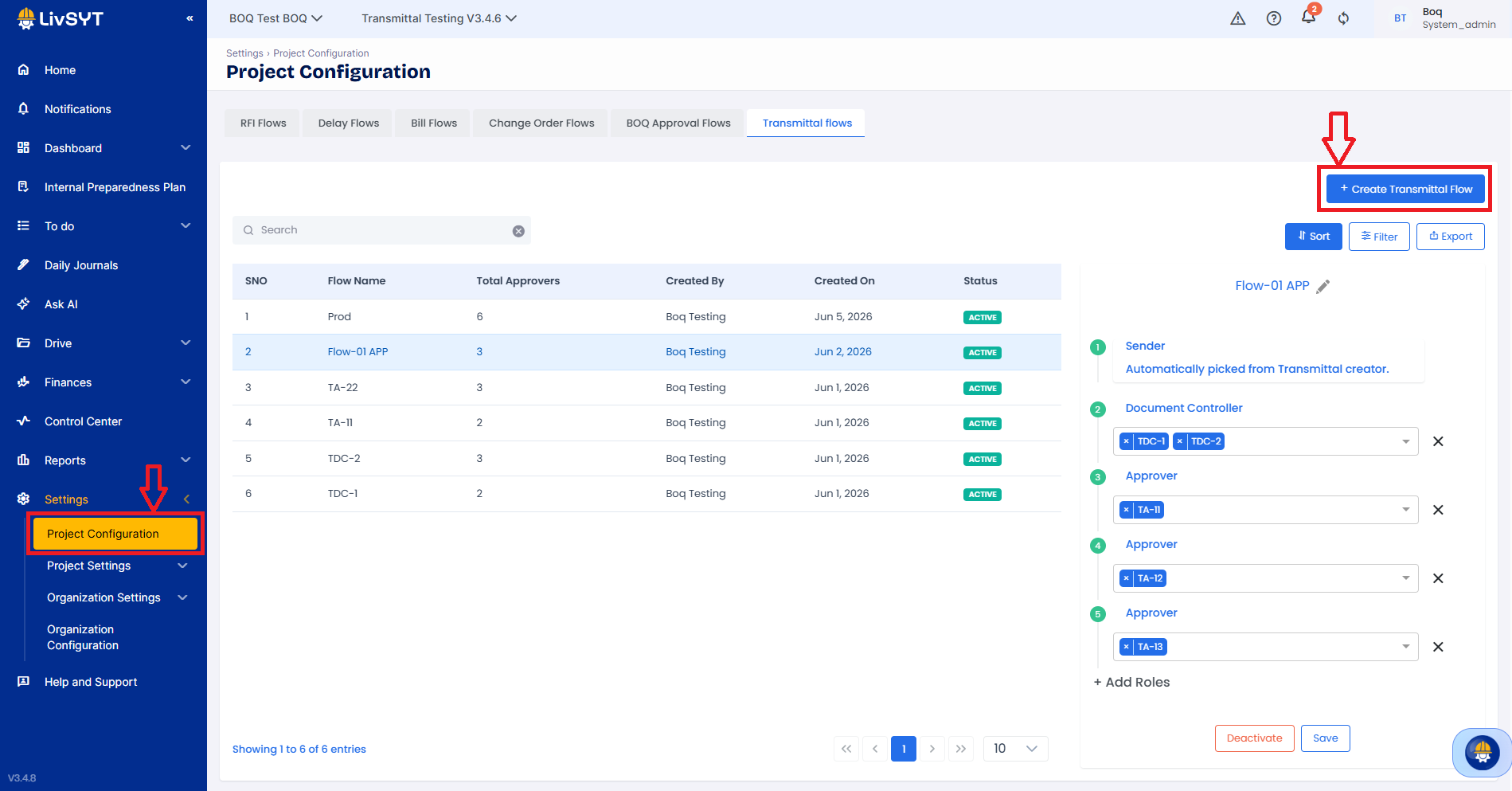
Navigate to Project Configuration
Log into your platform and ensure you are in the correct project workspace.
Click on Settings from the top/side menu, then select Project Configuration.
Access Transmittal Flows Workspace
Under the Configure Flows tab, click on the Transmittal flows sub-tab.
You will see a list of any existing transmittal flows along with their status and total number of approvers.
Initiate Flow Creation
Click the blue Create Transmittal Flow button located on the top right.
Define the Flow Structure and Add Roles
Sender: This role is automatically picked by the system based on whoever creates the transmittal.
Document Controller (Optional): Assign or select the role designated to manage incoming submittals.
Add Approval Stages: Click on Add Roles at the bottom of the structure to build out your verification levels. Select the specific project roles or users required for each step.
5. Save the Flow
Once your sequential or parallel approval structure is mapped out, click Create Flow
Tips and Practices:
- Plan Your Roles Ahead: A standard transmittal approval flow supports a sender, a Document Controller, and multiple approval stages. Make sure these roles are clearly populated in your project roster before configuring the flow.
- Dynamic Review Routing: Setting up roles instead of rigid user constraints allows you to dynamically manage responsibility on the ground if project staffing changes.
Was this article helpful?
That’s Great!
Thank you for your feedback
Sorry! We couldn't be helpful
Thank you for your feedback
Feedback sent
We appreciate your effort and will try to fix the article