Purpose:
To explain how users can mark an RFI (Request for Inspection) as Actionable and assign a due date for follow-up actions.
Step-by-Step Instructions:
1. Open the RFI section
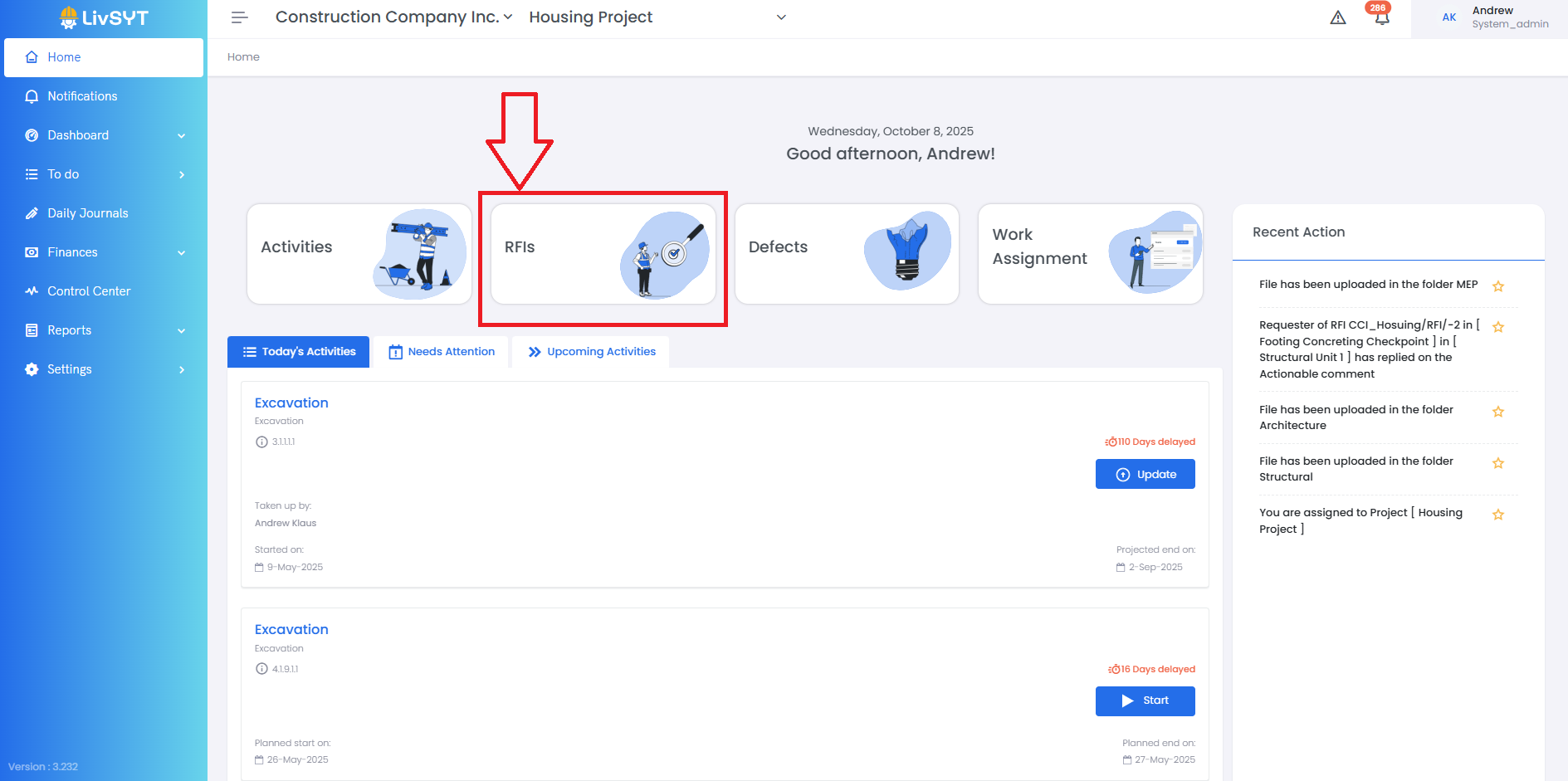
- On the Home Page, click on RFI.
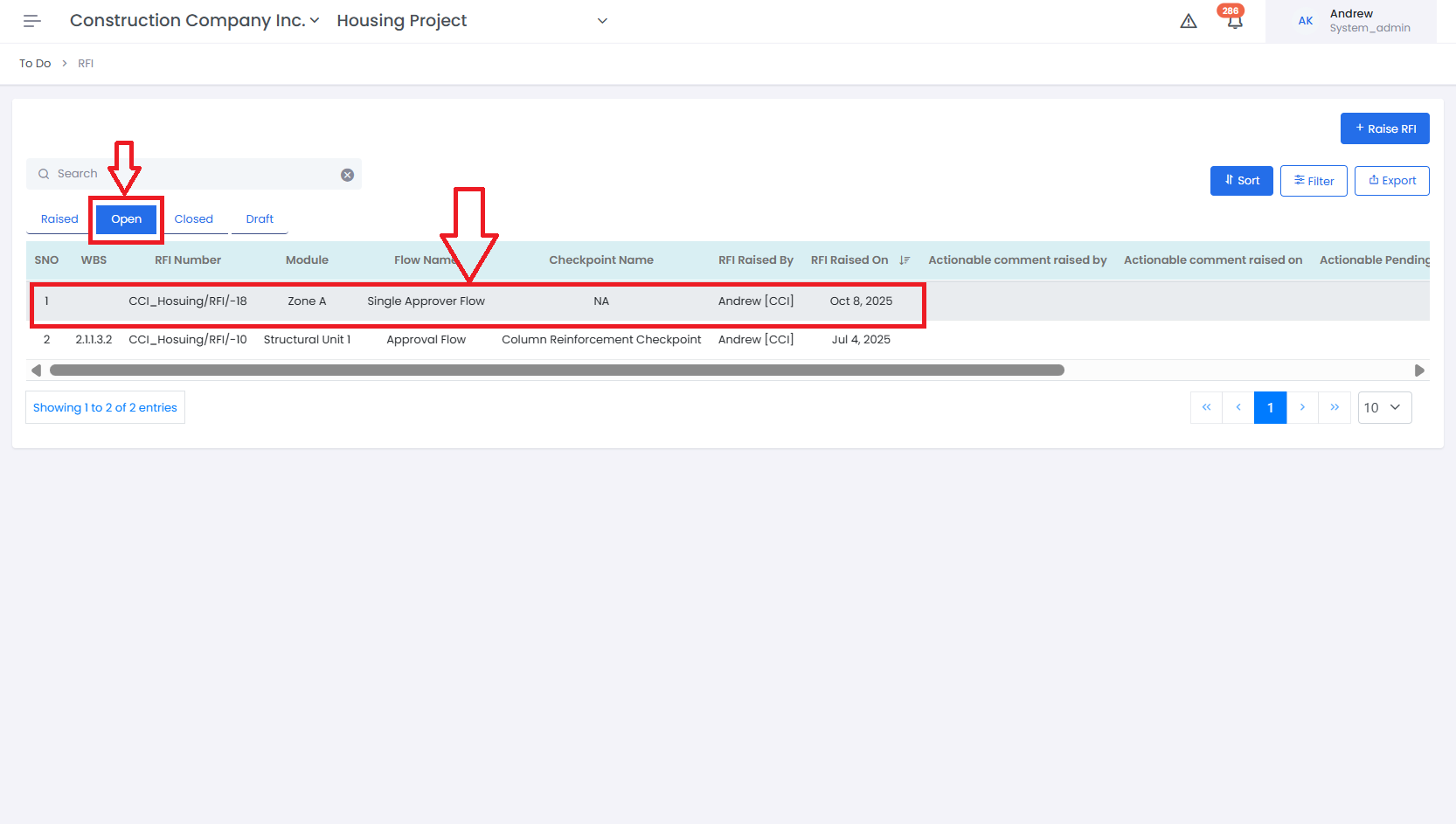
- Go to the Open section and select the RFI you want to review.
- The RFI details section will open on the right side of the screen.
2. Access the Actionable option
- Open the RFI details on the right-hand side of the screen.
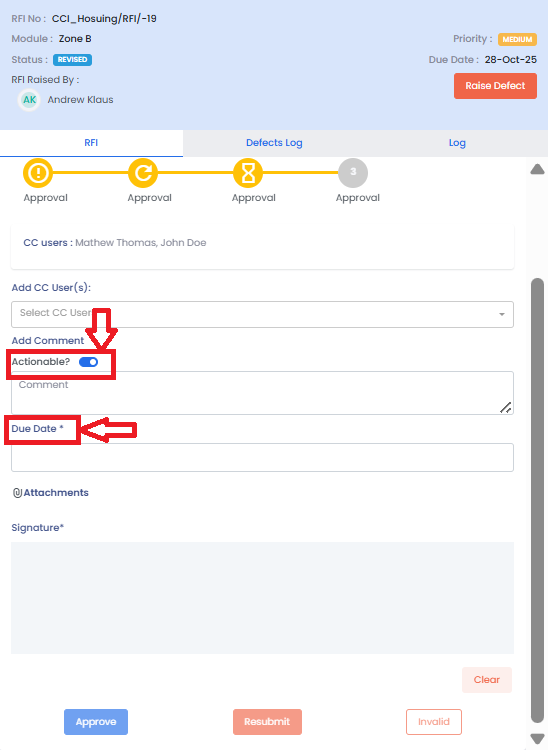
- Look for the option to mark the RFI as Actionable.
3. Set the due date
- After marking the RFI as Actionable, you can assign a Due Date for the required action.
- This helps track when the corrective or follow-up work should be completed.
4. Approve the actionable RFI
- Once the RFI is marked as actionable and the due date is set, the only available action is to Approve the RFI.
- Click on Approve to confirm and mark the RFI as actionable.
Tips & Best Practices:
- Use the Actionable option only when additional work or correction is required.
- Always set a clear Due Date to track pending actions.
- Add comments to specify what needs to be done or followed up.
- After approving, keep track of Actionable RFIs to ensure tasks are completed before the due date.
- Communicate with the responsible user to confirm the follow-up action has been taken.
- For any issues, contact LivSYT Support.
Related Resources:
How to Raise an RFI?
How to Approve an RFI?
Was this article helpful?
That’s Great!
Thank you for your feedback
Sorry! We couldn't be helpful
Thank you for your feedback
Feedback sent
We appreciate your effort and will try to fix the article