Purpose:
To explain how users can make a Vendor Active in livSYT.
Click here to know How to add a vendor?
Note: A vendor is inactive if all the fields except PAN and GST are not filled.
Step-by-Step Instructions:
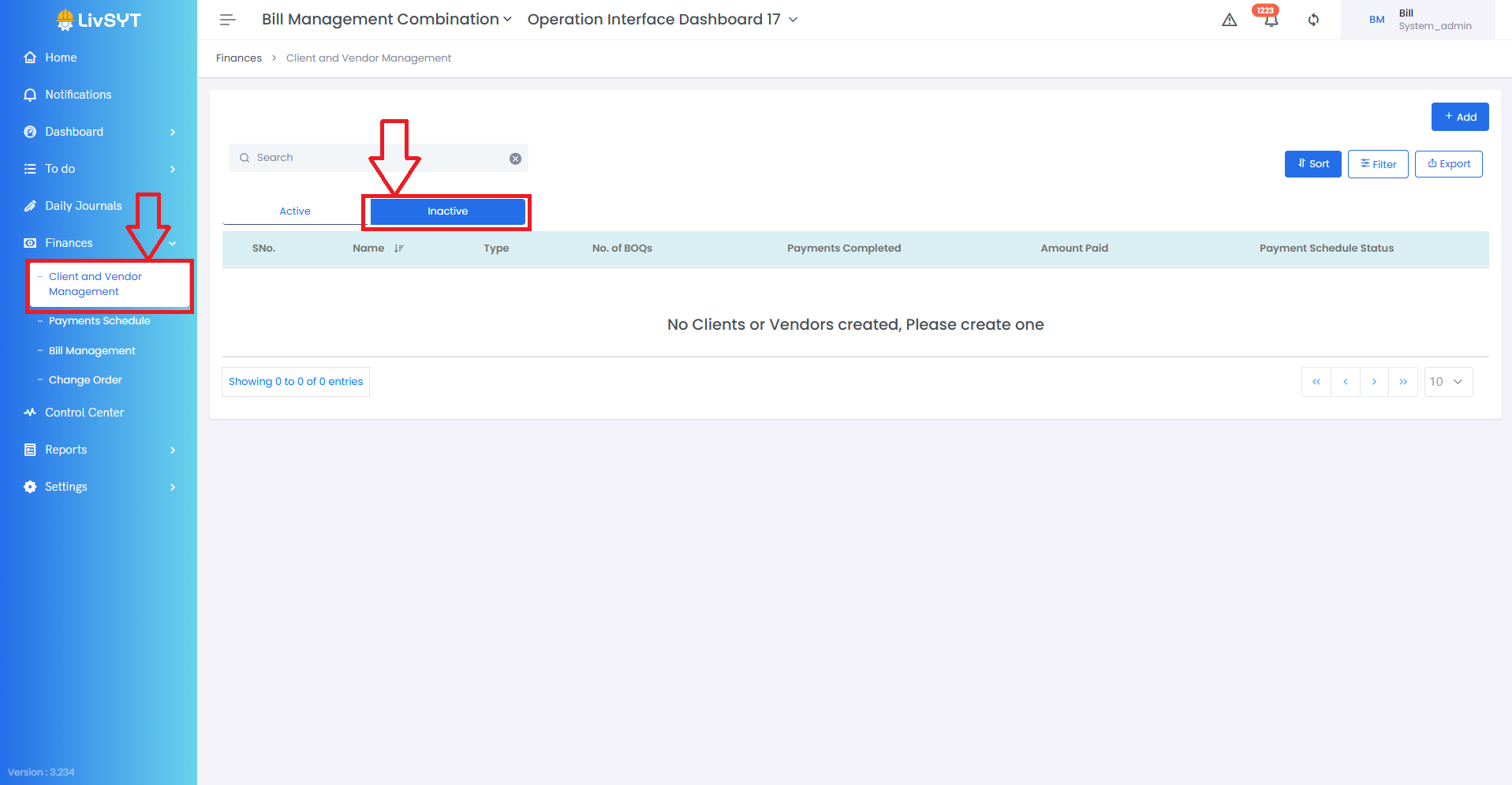
1) Open Vendor Management
- Go to Finances → Client and Vendor Management.
2) Find the vendor
- Click on the Inactive tab.
- Select the vendor you want to activate.
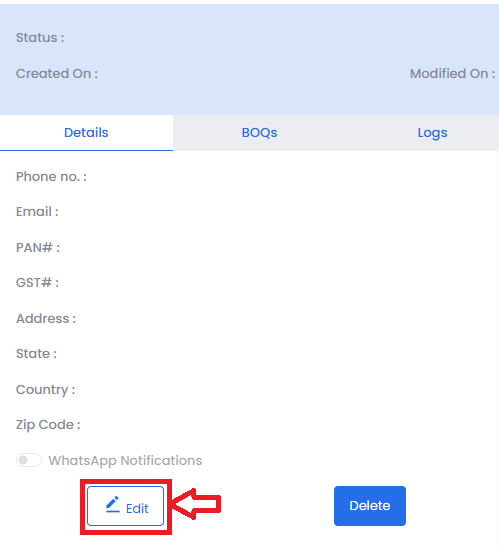
3) Edit vendor details
- A panel will open on the right.
- Click Edit.
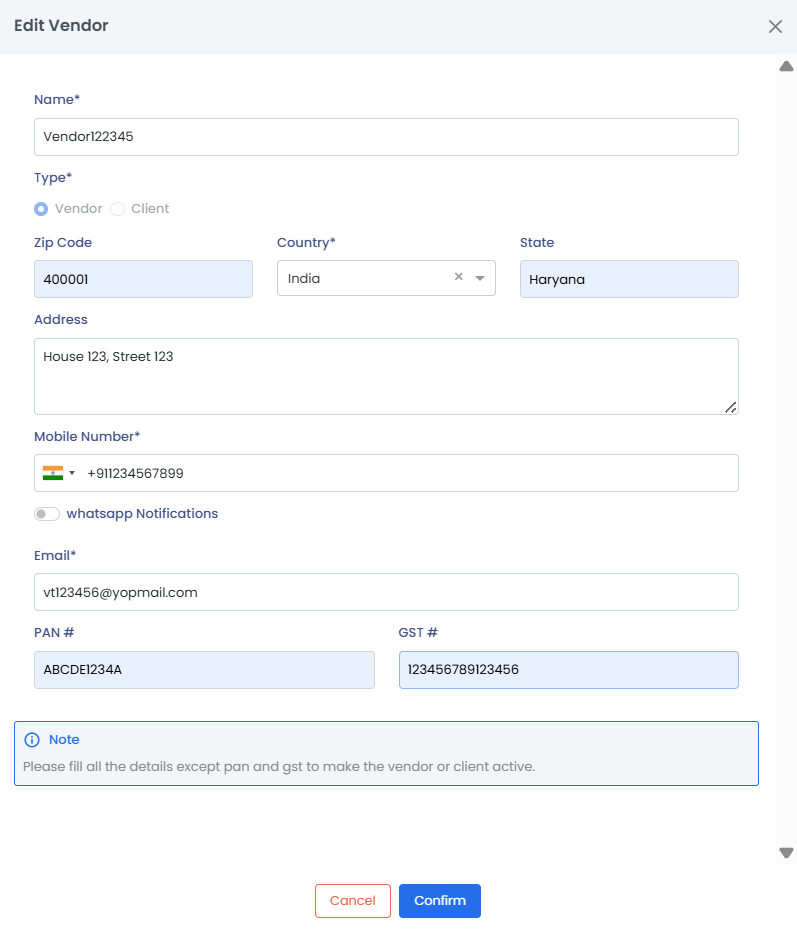
4) Complete required information
- Fill in all the necessary details.
5) Save the changes
- After filling the details, click on Confirm to make the vendor Active.
Tips & Best Practices:
- Double-check all vendor information before activating.
- Ensure the contact details are correct to avoid future communication issues.
- Only complete and accurate vendor profiles should be activated.
- Keep vendor records updated regularly.
- For any issues, contact LivSYT Support.
Related Resources:
How to add a vendor?
Was this article helpful?
That’s Great!
Thank you for your feedback
Sorry! We couldn't be helpful
Thank you for your feedback
Feedback sent
We appreciate your effort and will try to fix the article