Purpose:
To explain how users can edit a user’s mobile number in livSYT.
Note:
You can change all user details except the email ID. The email ID cannot be edited.
Step-by-Step Instructions:
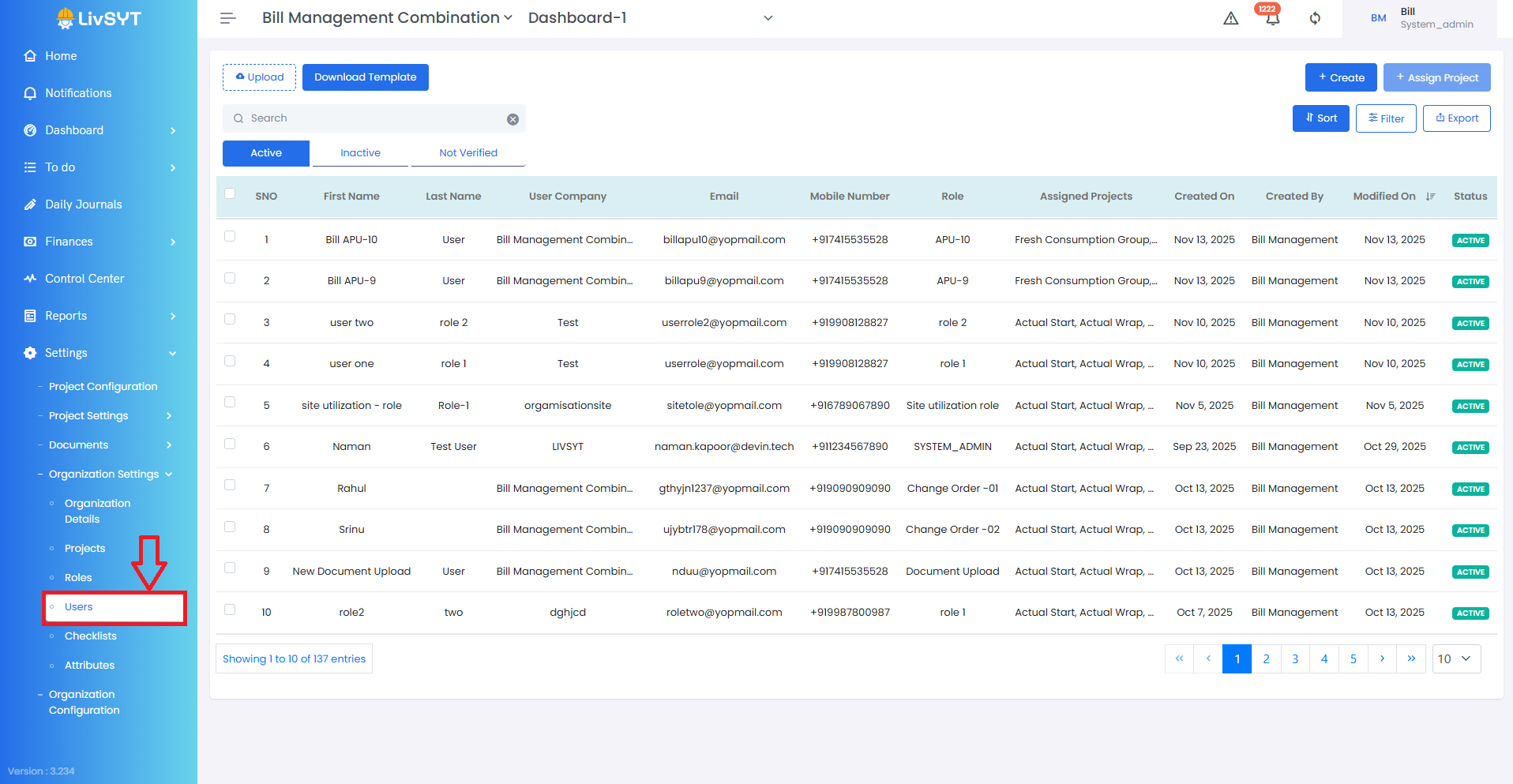
1) Open User Settings
- Go to Settings → Organization Settings → Users.
2) Select the user
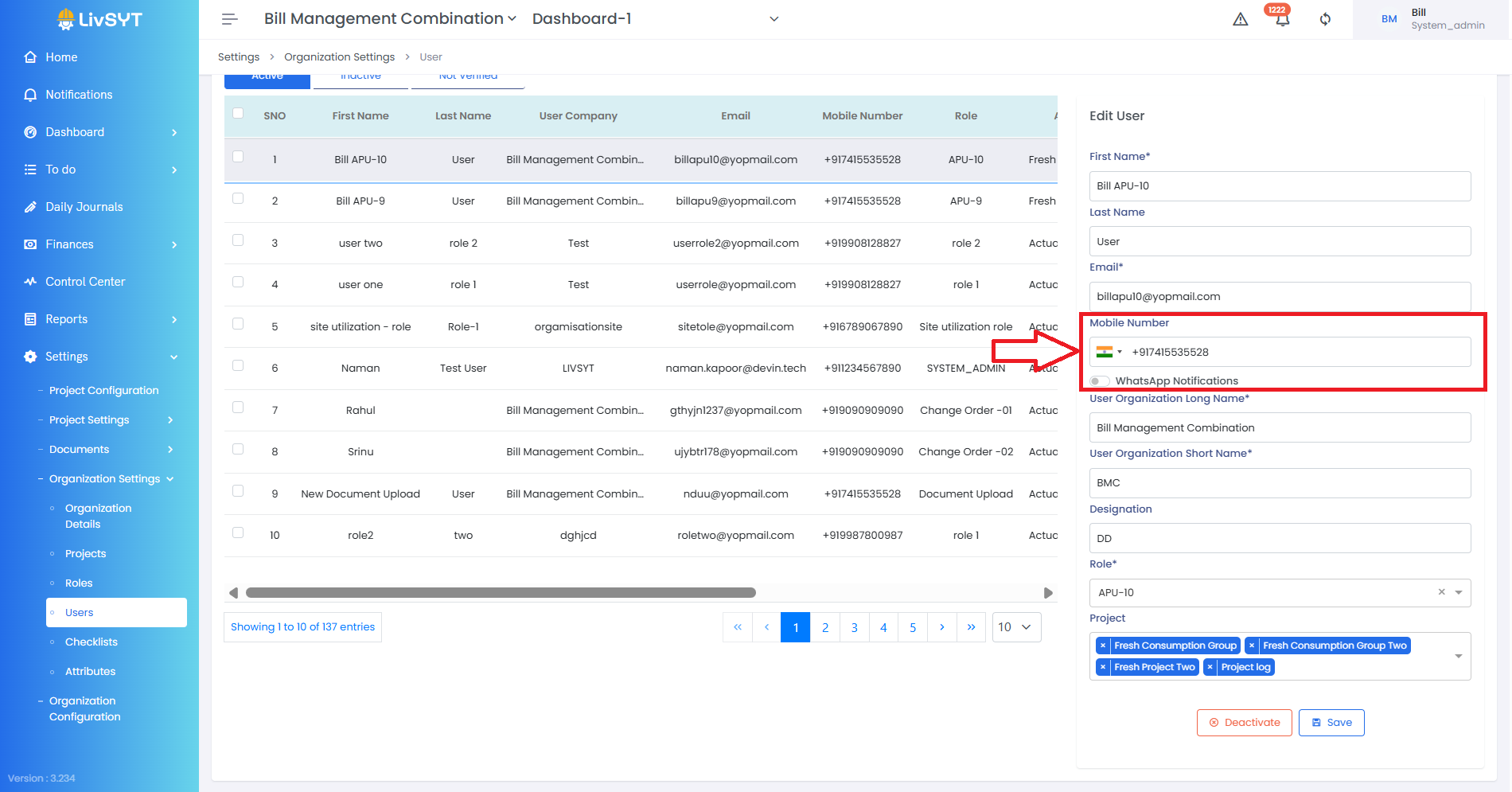
- Click on the user whose details you want to update.
3) Update the mobile number
- Enter the new number in the Mobile Number field.
4) Save the changes
- Click Save.
Tips & Best Practices:
- Always verify the new mobile number before saving.
- Keep user details updated to avoid communication issues.
- For any issues, contact LivSYT Support.
Related Resources:
Can I edit the email id of a user?
Was this article helpful?
That’s Great!
Thank you for your feedback
Sorry! We couldn't be helpful
Thank you for your feedback
Feedback sent
We appreciate your effort and will try to fix the article