Purpose:
To guide users on updating or changing the Approver in any Approval Flow such as RFI, Delay, Bill, Change Order, or BOQ.
Step-by-Step Instructions:
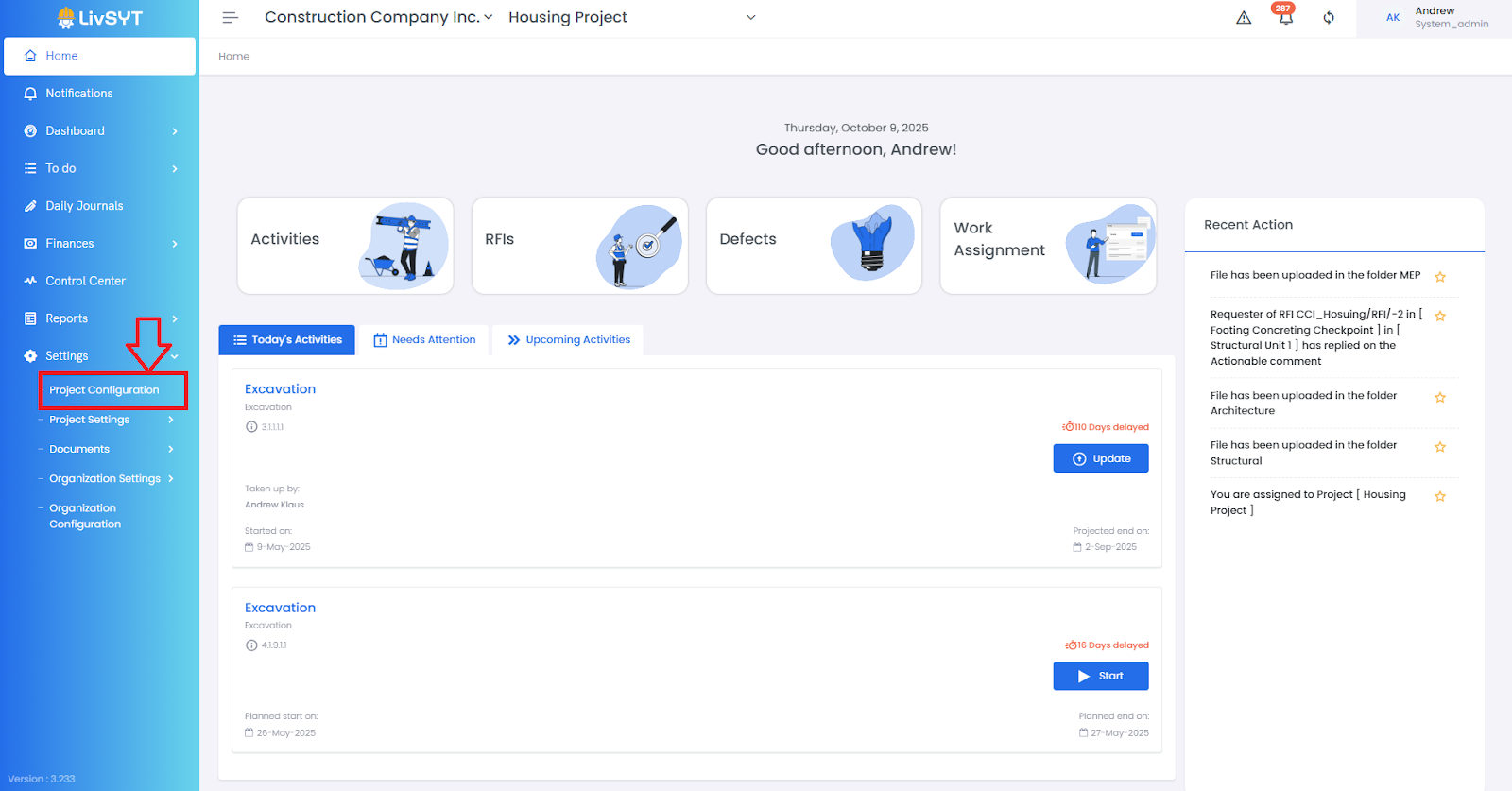
1. Open Project Configuration
- Go to Settings from the Home Page.
- Click on Project Configuration.
2. Access Approval Flow settings
- Under Project Configuration, go to RFI / Bill / Change Order / BOQ Approval Flow.
3. Select the flow
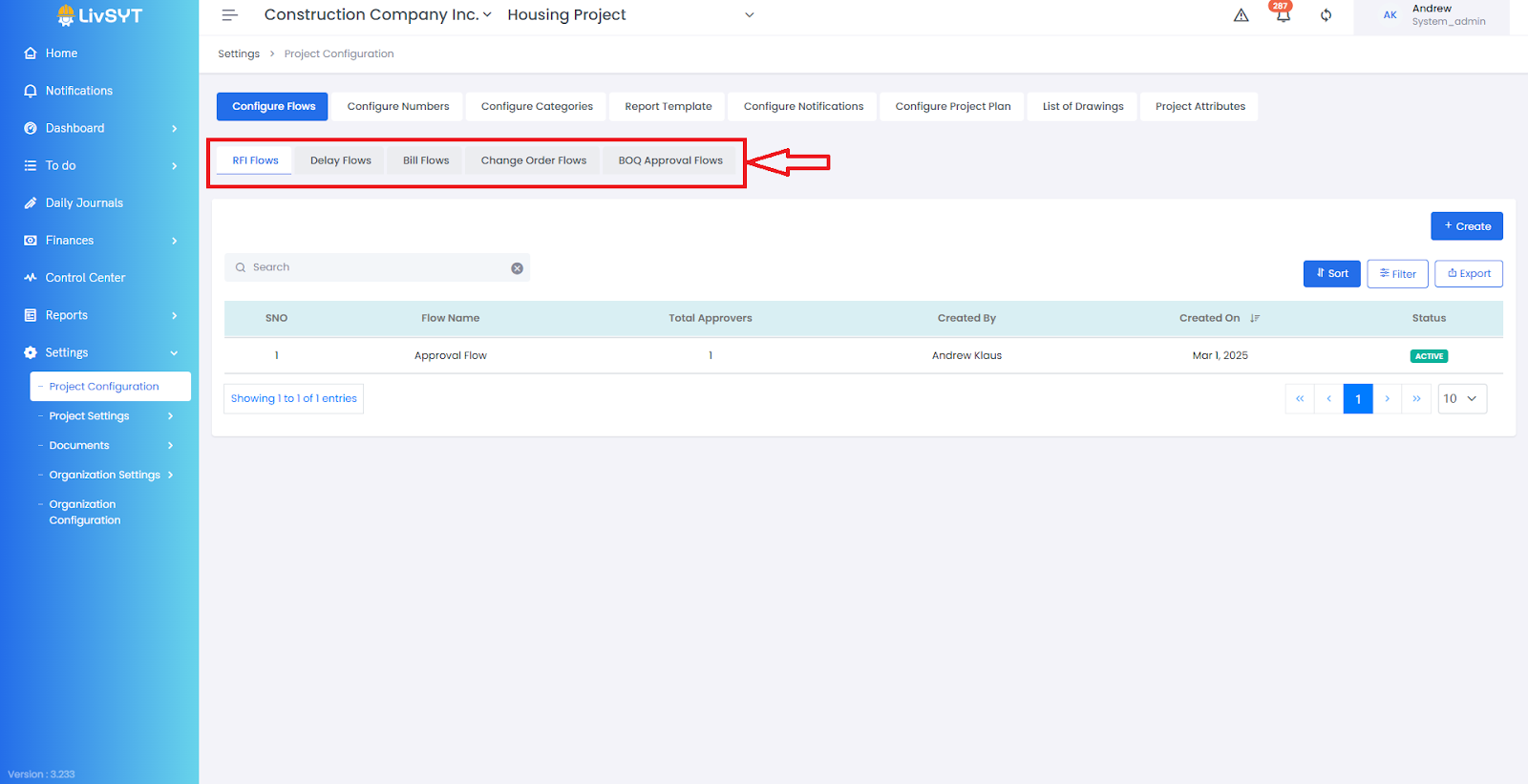
- Click on the Flow Name you wish to modify.
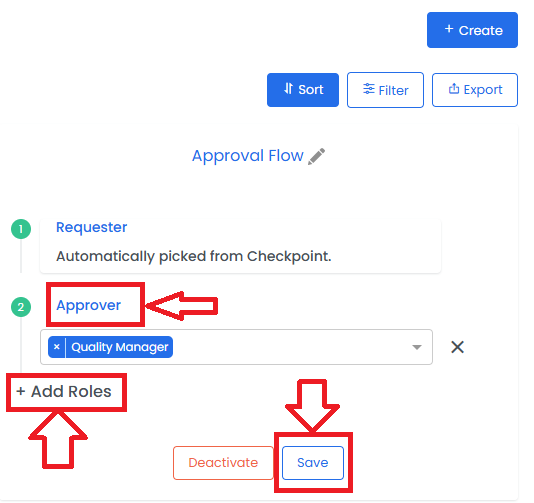
4. Modify approver role
- In the panel that opens on the right, scroll to the bottom and click Add Roles if needed.
- Delete the existing role under Approver if it is no longer required.
- From the Approver / Lead Approver dropdown, select the new role to assign.
5. Save changes
- Review the configuration and click Save to update the flow.
Tips & Best Practices:
- Ensure the new Approver role exists in the project before assigning it.
- Communicate changes to the concerned team to avoid confusion in ongoing approvals.
- For any issues, contact LivSYT Support.
Related Resources:
How to add roles in RFI/Delay/Bill/CO/BOQ Flow?
How to create a new RFI/Delay/Bill/CO/BOQ Flow?
Was this article helpful?
That’s Great!
Thank you for your feedback
Sorry! We couldn't be helpful
Thank you for your feedback
Feedback sent
We appreciate your effort and will try to fix the article