Purpose:
To guide users on creating a new Approval Flow for RFI, Delay, Bill, Change Order, or BOQ within livSYT.
Step-by-Step Instructions:
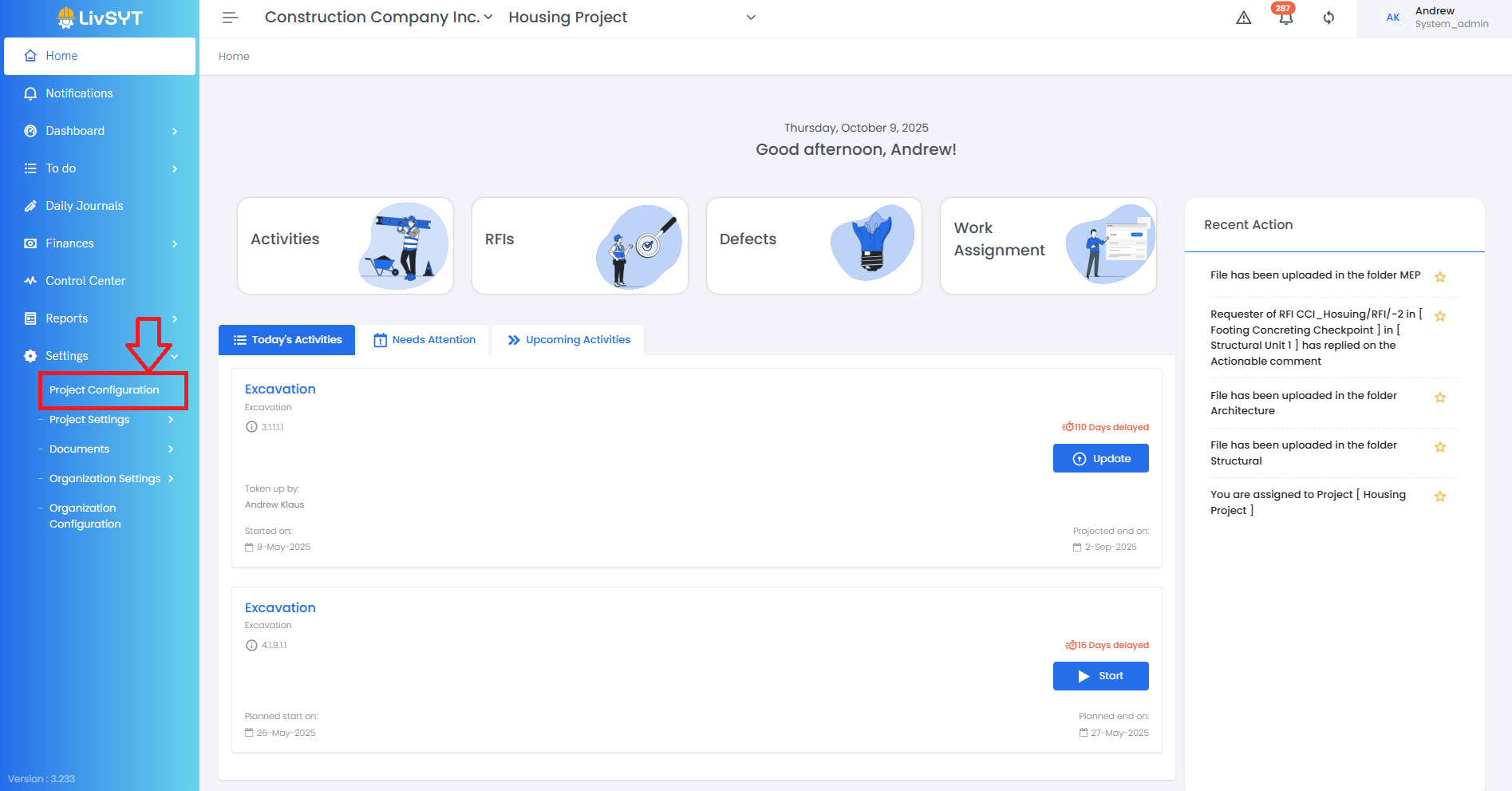
1. Open Project Configuration
- Go to Settings from the Home Page.
- Click on Project Configuration.
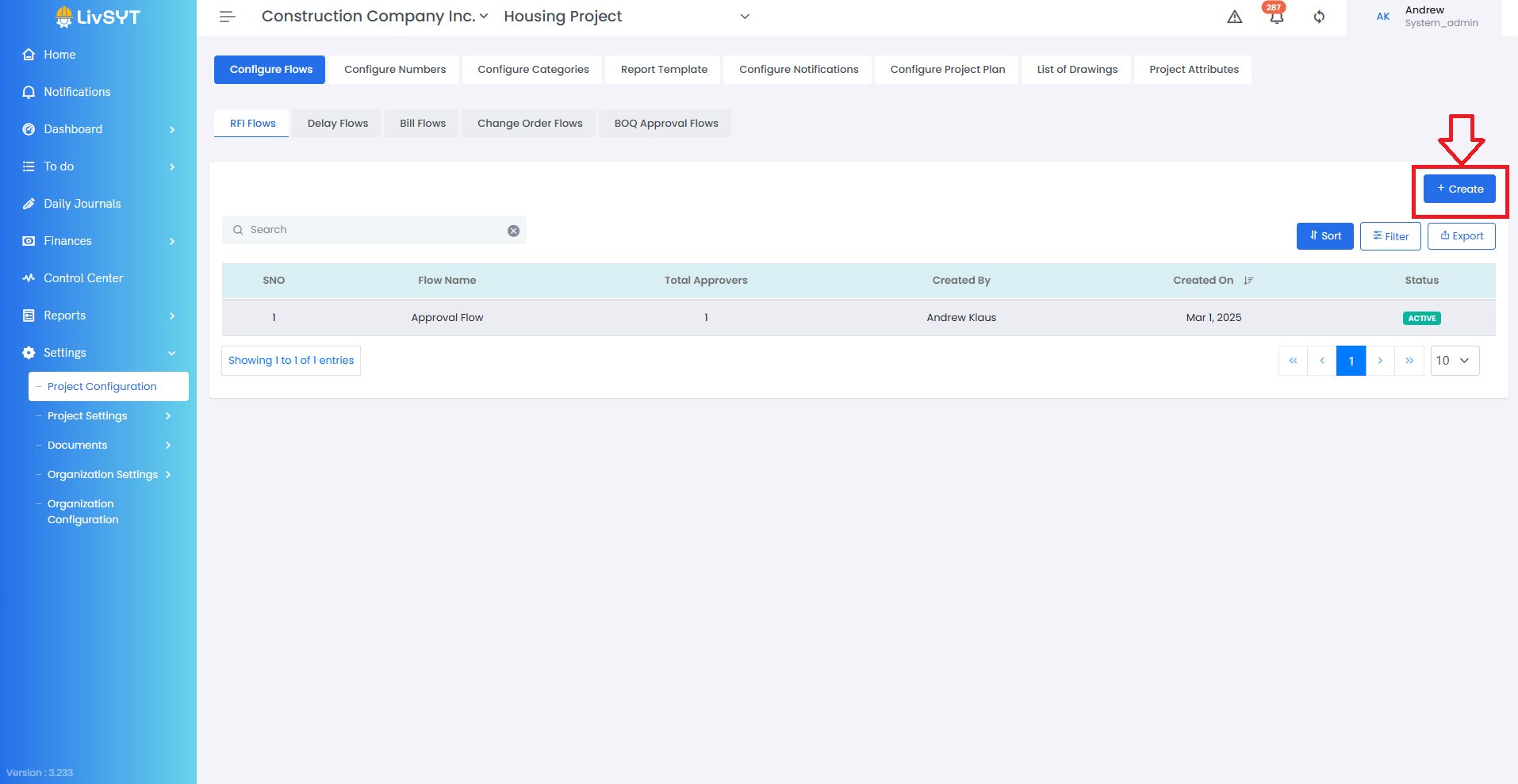
2. Create a new flow
- Click on Create at the top-right corner of the page.
3. Enter flow details
- Provide a suitable Flow Name.
- The Requester role is automatically assigned by default.
4. Add roles
- Add all other necessary Roles (e.g., Approver, Forwarder etc.) as required for your project workflow.
5. Save the flow
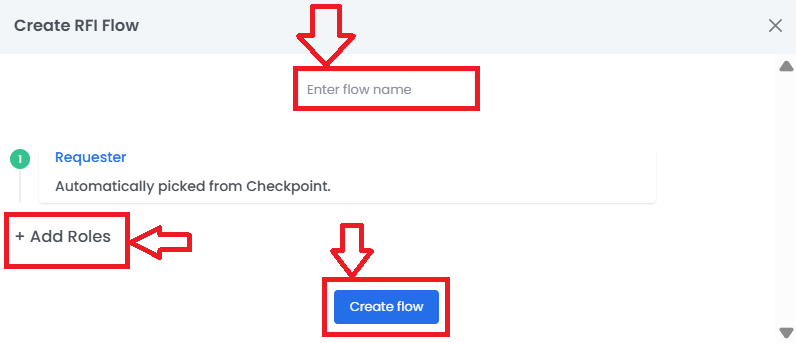
- Click on Create Flow to finalize and save the new Approval Flow.
Tips & Best Practices:
- Use clear and consistent naming conventions for flows to make identification easier.
- Confirm that roles are predefined in the system before adding them to a flow.
- Review the flow with your team to ensure all approvers and sequences are correct before use.
- For any issues, contact LivSYT Support.
Related Resources:
How to Raise an RFI?
Was this article helpful?
That’s Great!
Thank you for your feedback
Sorry! We couldn't be helpful
Thank you for your feedback
Feedback sent
We appreciate your effort and will try to fix the article