Purpose:
Learn how to view and download Inspection logs and reports in LivSYT for tracking inspection progress and maintaining project documentation.
Step-by-Step Instructions:
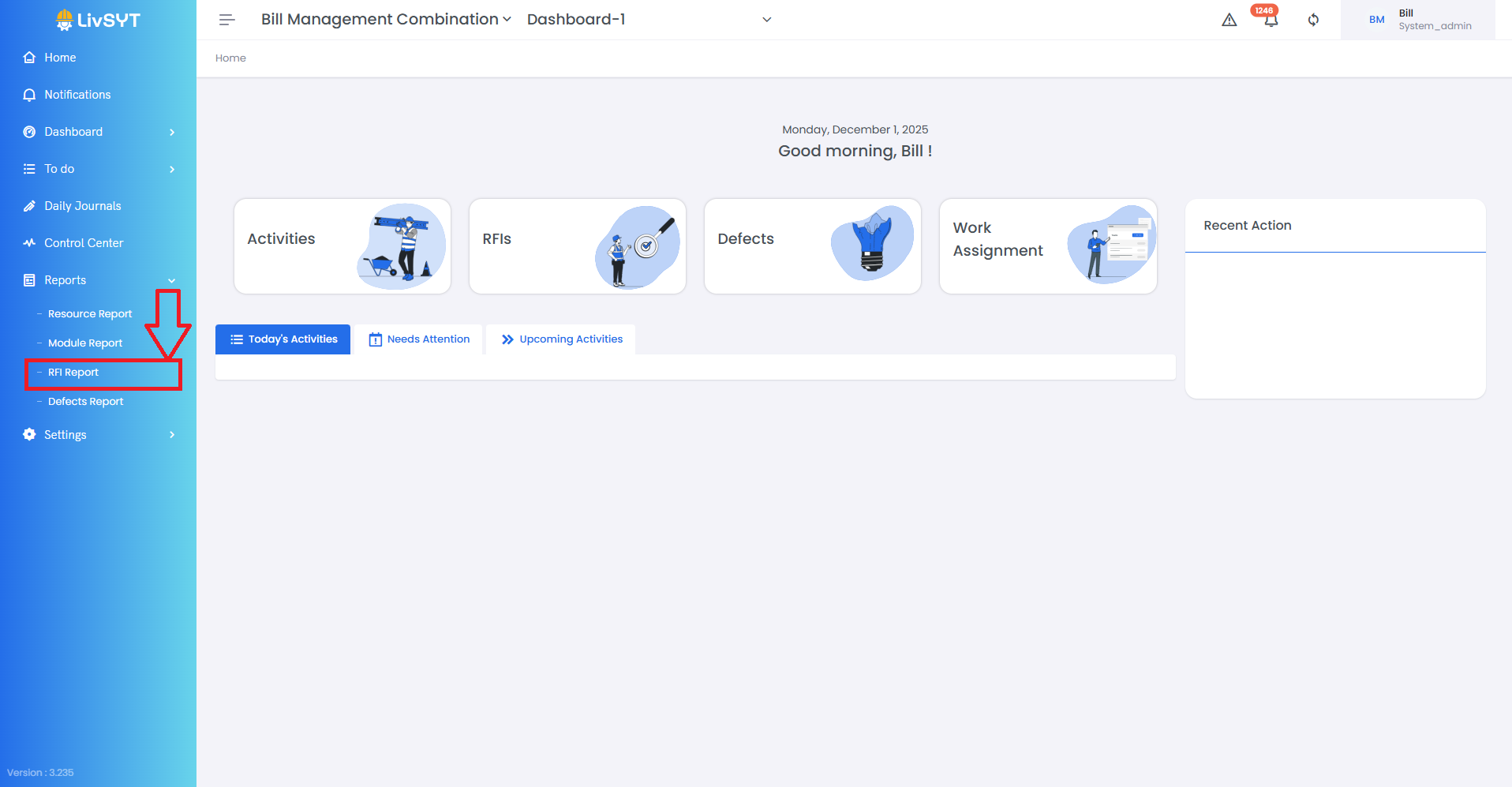
1. Access the Reports Section
- Click on Reports from the left-side menu.
- Choose Inspection Report from the available options.
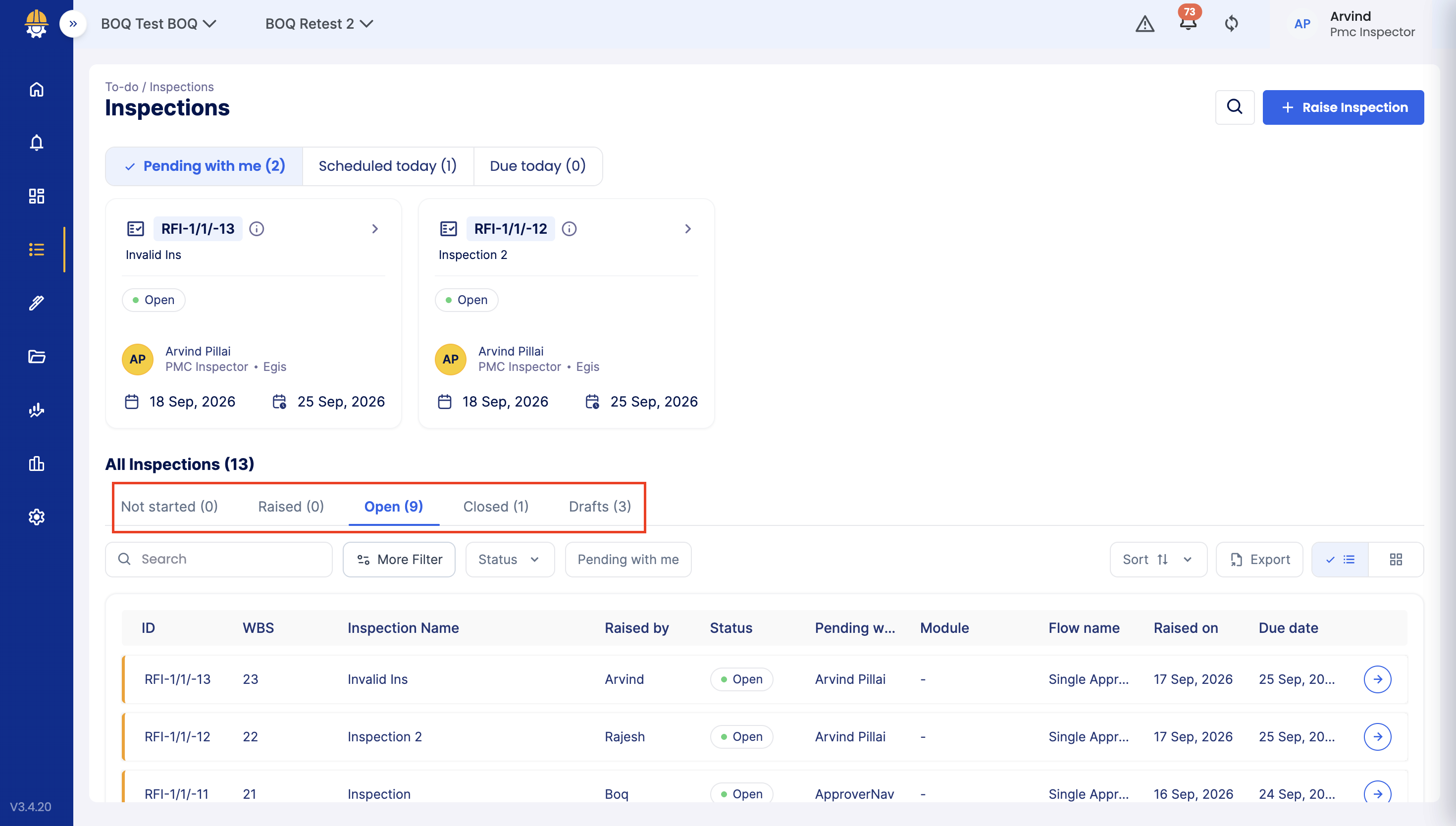
2. View Inspection Logs by Status
- You can find Inspection categorized under Not Started, Raised, Open, Closed, and Draft sections.
3. Open and Review Report
- Click on the respective Inspection to view its detailed report and log.
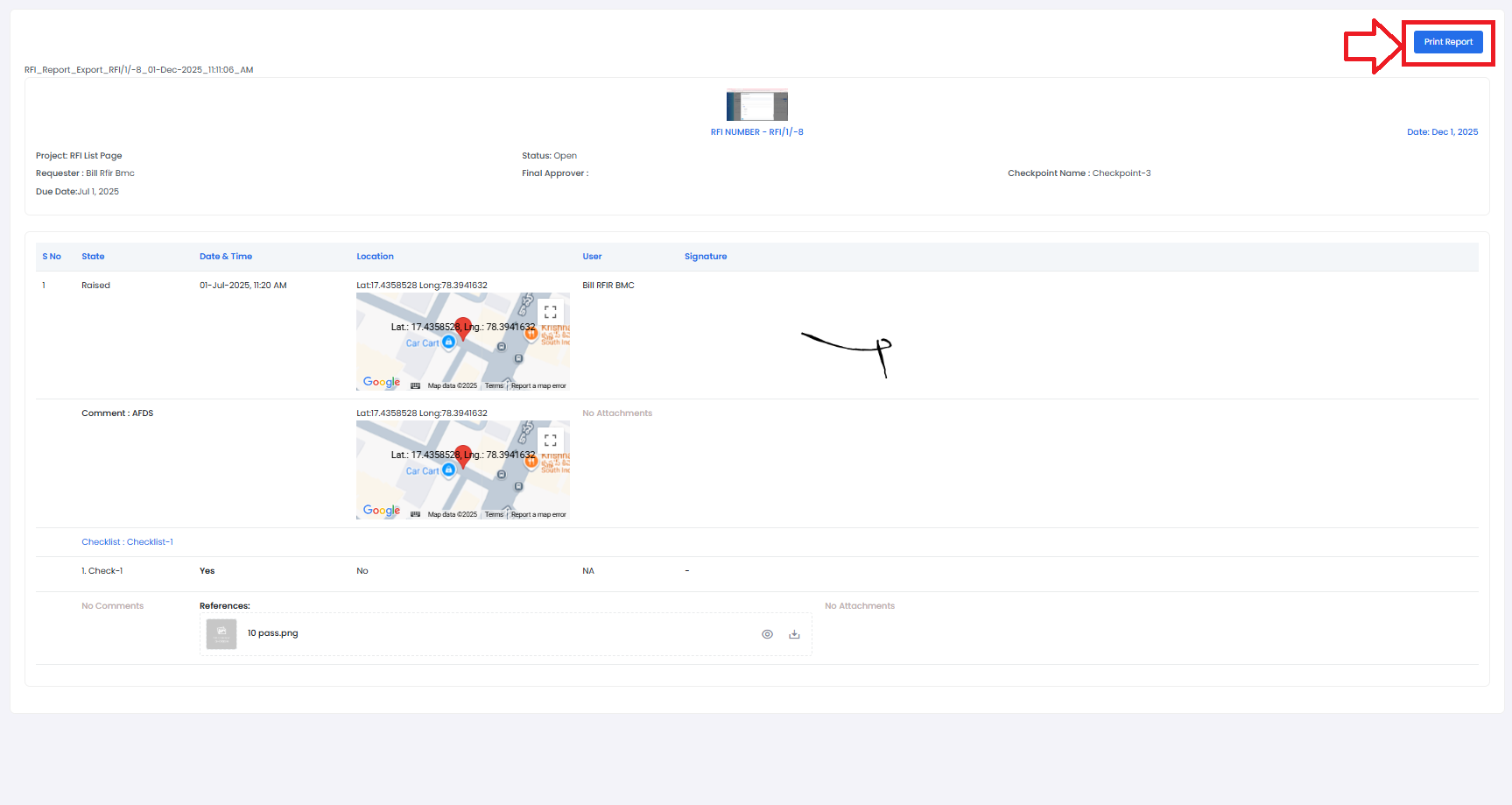
4. Download or Print Report
- Click on Print Report at the top-right corner to generate an offline copy.
Tips & Best Practices:
- Always check the log section to see the full timeline of actions taken.
- Download important Inspection reports for audits or documentation.
- Keep your project team informed by sharing relevant reports when required.
- For any issues, contact LivSYT Support.
Related Resources:
How to Raise an Inspection?
How make an Inspection Actionable?
Was this article helpful?
That’s Great!
Thank you for your feedback
Sorry! We couldn't be helpful
Thank you for your feedback
Feedback sent
We appreciate your effort and will try to fix the article