Purpose:
Learn how to update or modify the numbering format or prefix for Inspection, Delay, Bill, Change Order, or BOQ configurations in LivSYT.
Step-by-Step Instructions:
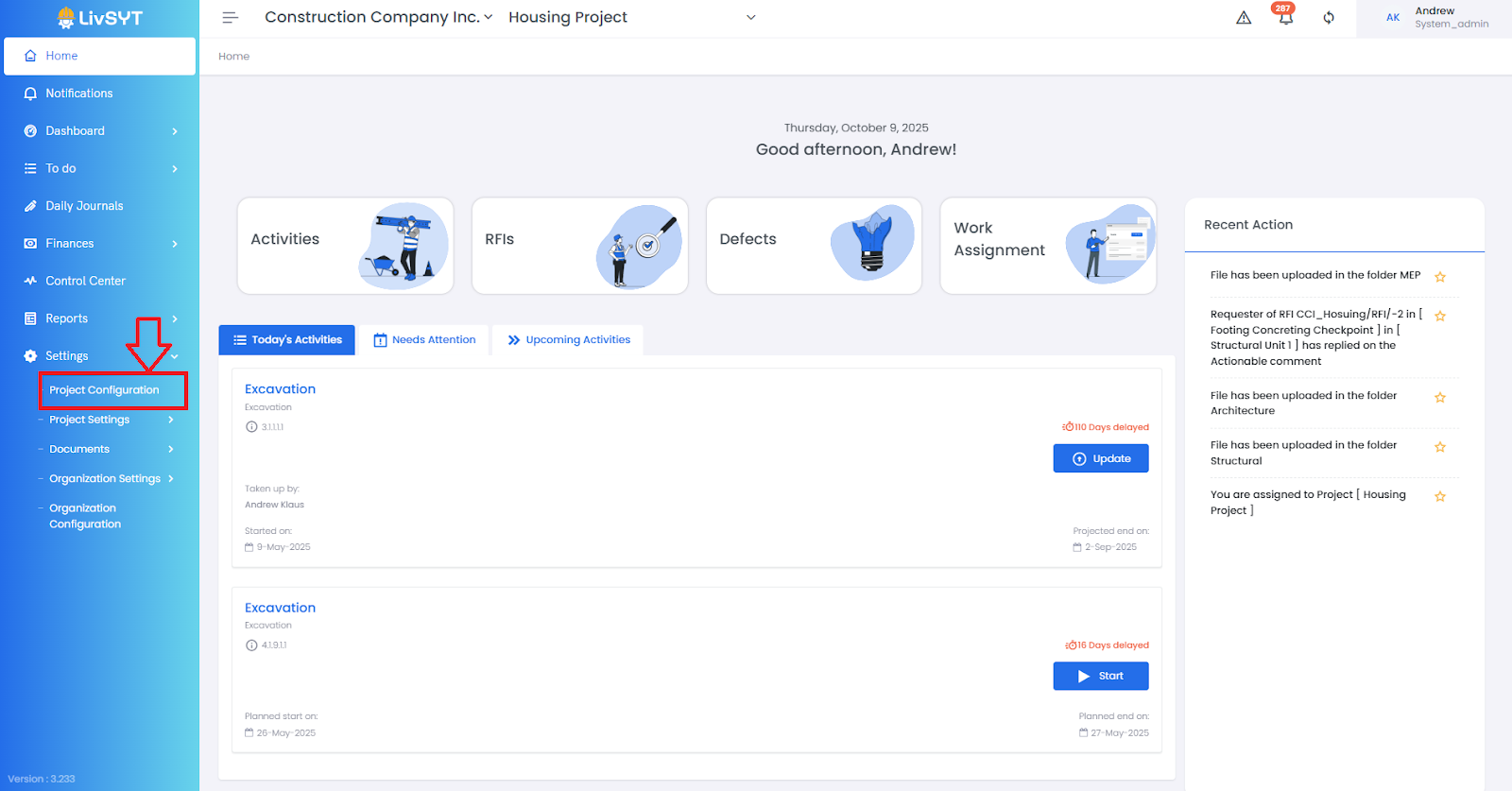
1. Open Project Configuration
- Go to Settings from the Home Page.
- Click on Project Configuration.
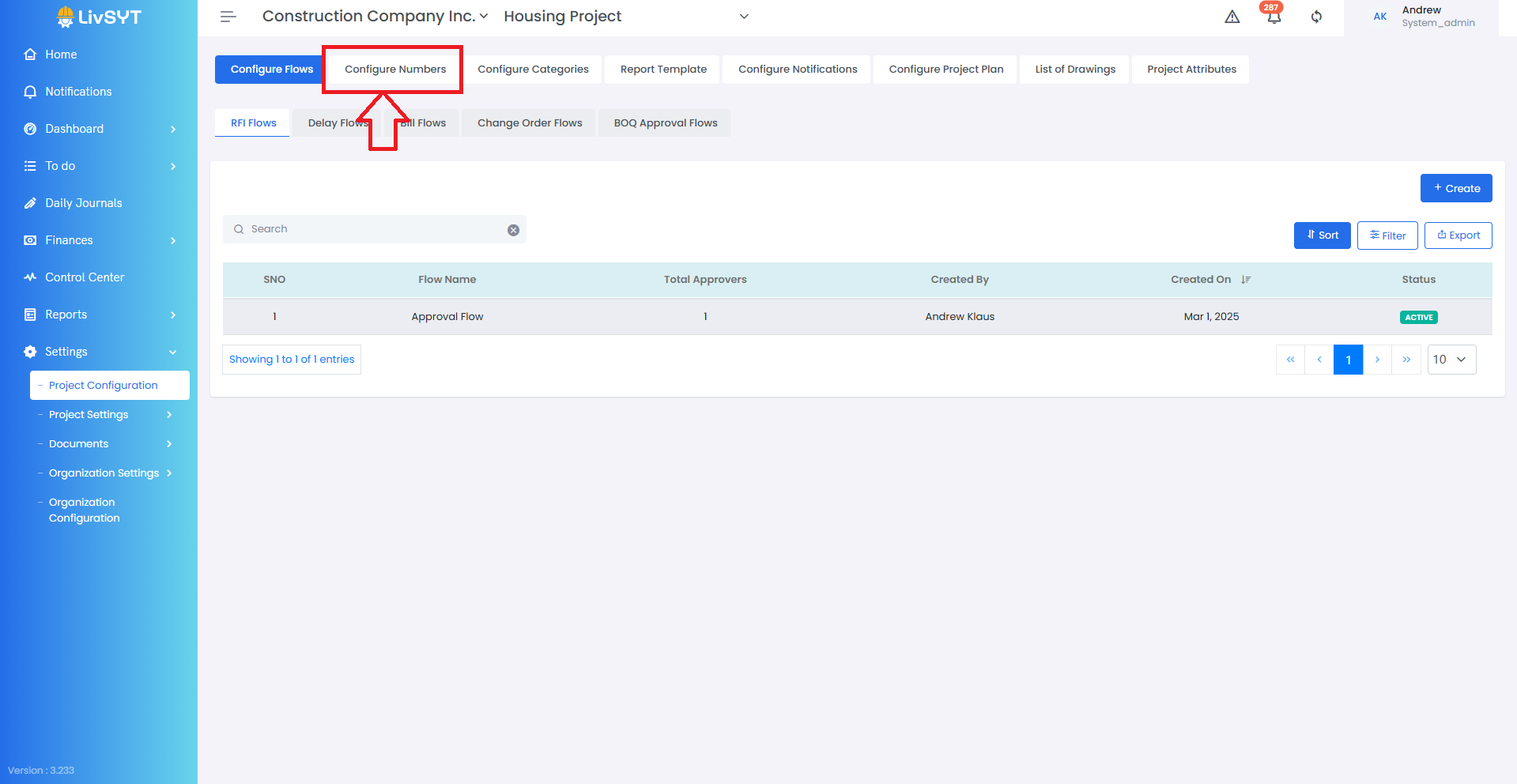
2. Open Configure Numbers Section
- Navigate to the Configure Numbers section.
3. Edit Number or Prefix
- Update the respective Inspection/Delay/Bill/CO/BOQ Configuration Numbers/Prefix as needed.
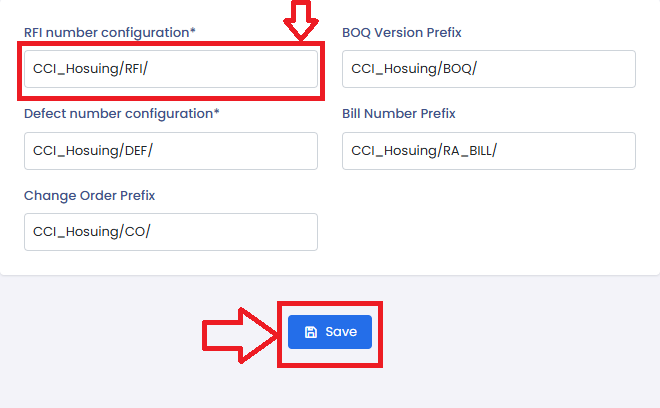
4. Save Changes
- Click on Save to apply your updates.
Tips & Best Practices:
- Use clear, standardized prefixes to maintain consistency across all project documents.
- Avoid frequent changes to prefixes, as they are tied to document tracking and audit trails.
- Review existing numbering patterns before making edits to prevent duplication.
- For any issues, contact LivSYT Support.
Related Resources:
How to change approver in Inspection/Delay/Bill/CO/BOQ Flow?
How to add roles in Inspection/Delay/Bill/CO/BOQ Flow?
Was this article helpful?
That’s Great!
Thank you for your feedback
Sorry! We couldn't be helpful
Thank you for your feedback
Feedback sent
We appreciate your effort and will try to fix the article