Purpose:
Learn how to reset your livSYT password if you forget it.
Step-by-Step Instructions:
1. Open Login Page
- Go to the livSYT login screen.
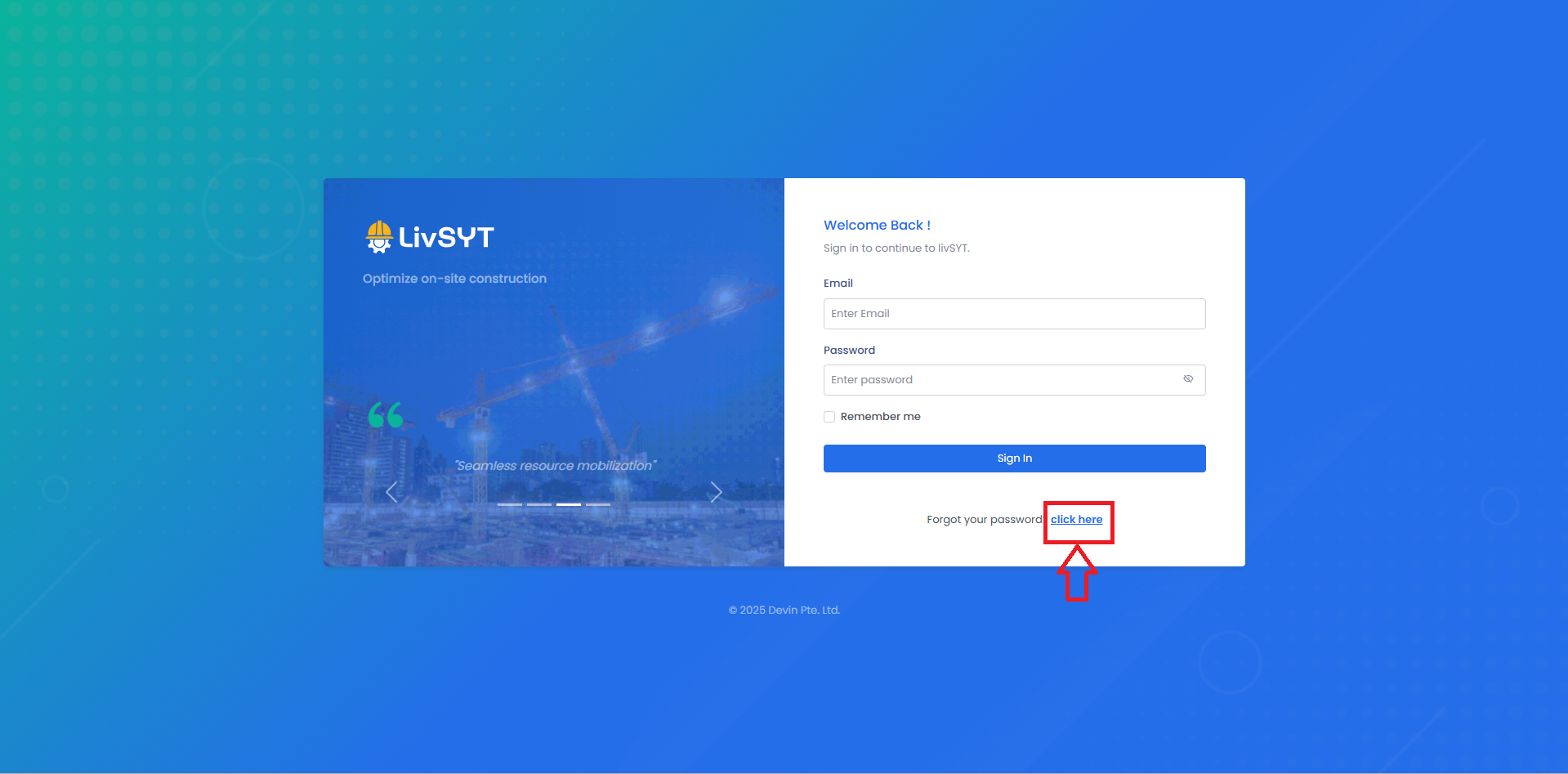
2. Click Forgot Password
- Tap or click on Forgot Password.
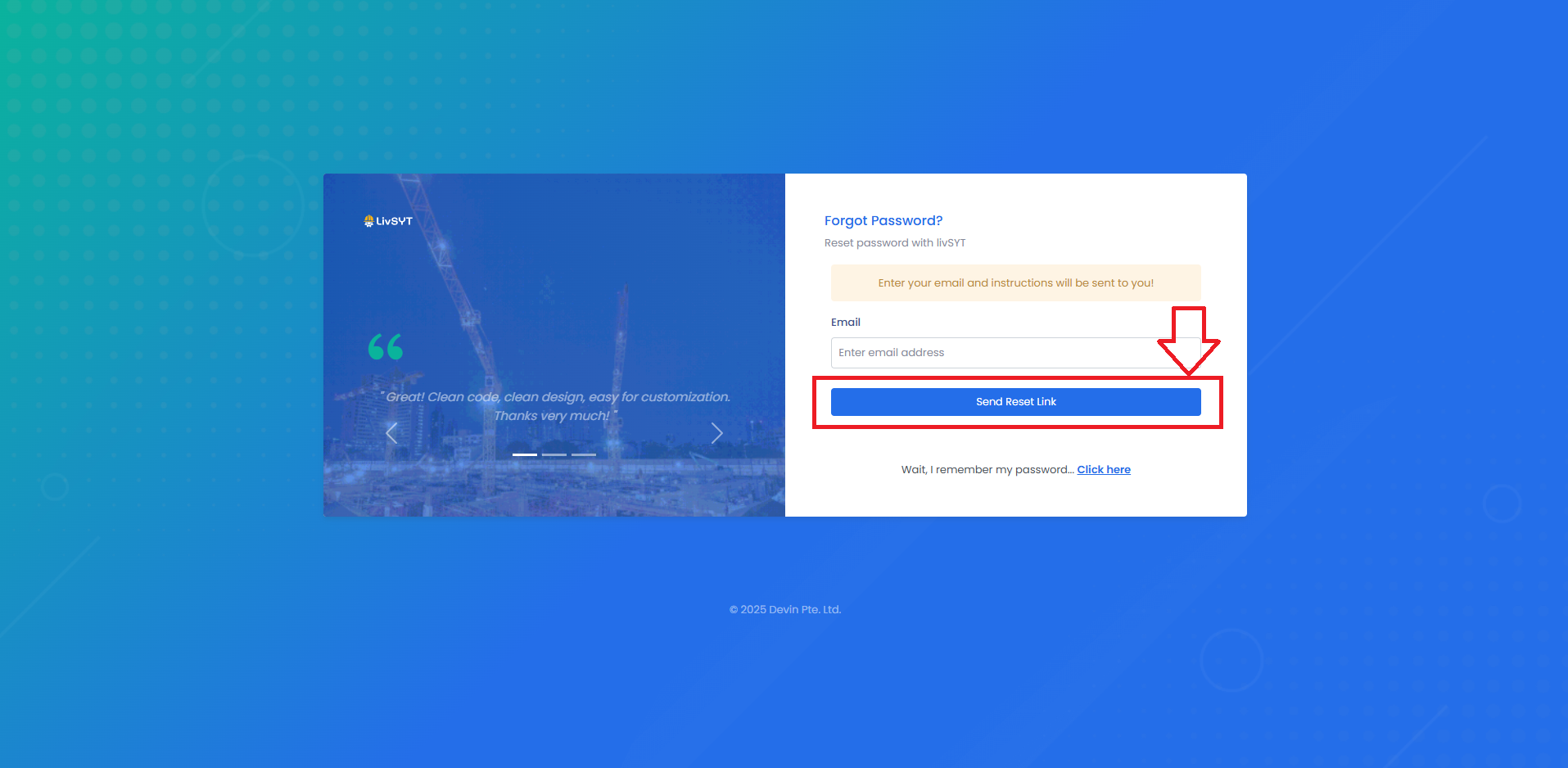
3. Enter Email ID
- Type the email ID you used to create your account.
4. Follow Instructions
- Check your email for the reset link.
- Use that link to set a new password.
For any issues, contact LivSYT Support.
Related Resources:
Why is “www.livsyt.com” not working?
Was this article helpful?
That’s Great!
Thank you for your feedback
Sorry! We couldn't be helpful
Thank you for your feedback
Feedback sent
We appreciate your effort and will try to fix the article